Secure MCP Servers on Tanzu Platform
Stand up the Tanzu Platform 10.4 MCP gateway, federate two MCP servers behind it, and bind each gateway path to your AI agent as a tagged MCP service.
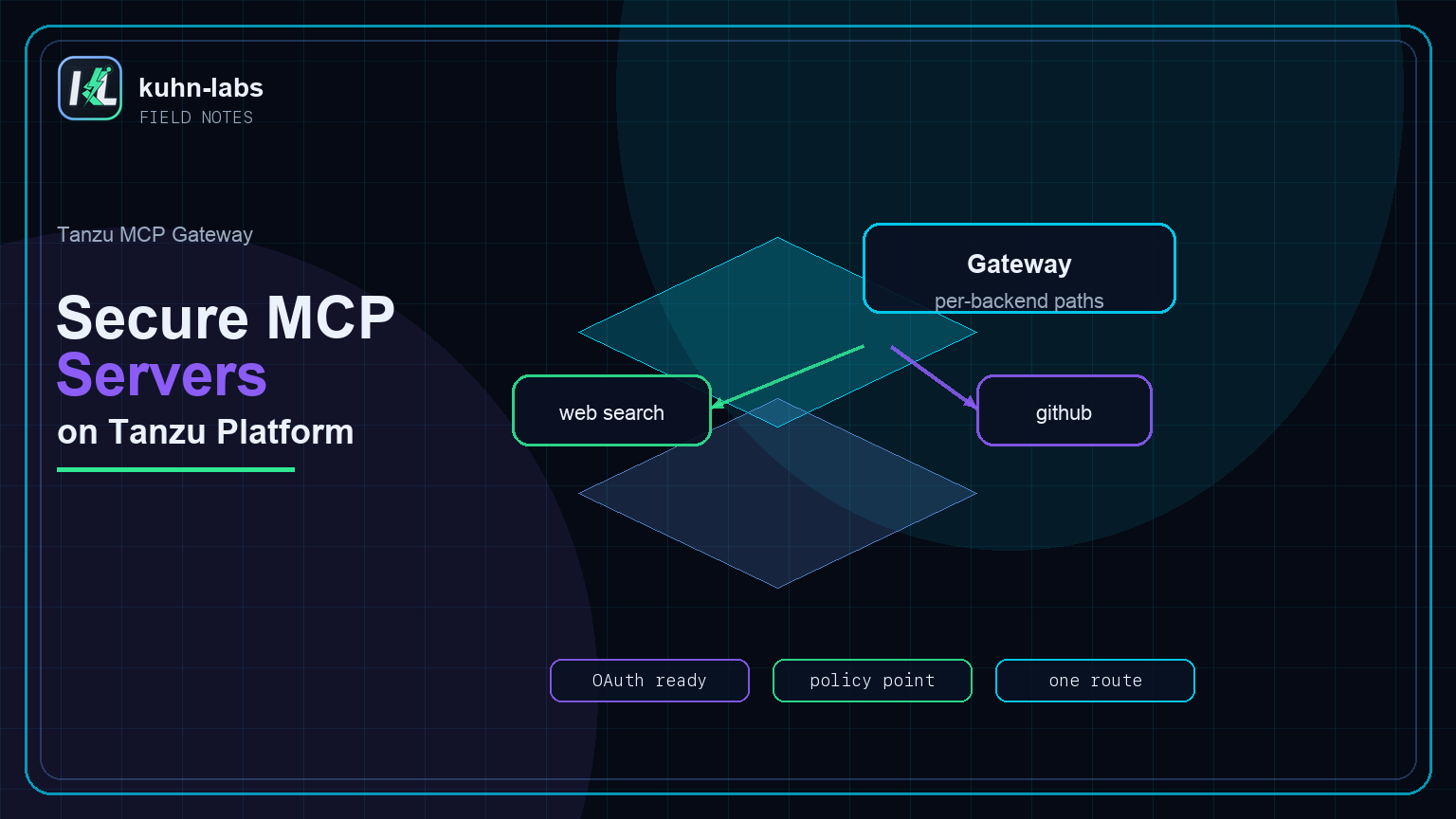
In Part 1 I shipped an AI agent with nothing but an AGENTS.md and cf push. It can hold a conversation, but it can't do anything beyond what the model already knows. This post fixes that. I'll federate two MCP servers behind the Tanzu Platform 10.4 MCP gateway and bind the gateway to the agent so the model can actually call tools — search the web, query GitHub — as part of answering.
This is Part 2 of a three-part series. Part 1 built the agent; Part 3 reuses this same gateway from off-platform clients like Cursor, Claude Code, Goose, and Codex.
Why put MCP behind a gateway?
You could bind MCP servers to the agent one by one. But in a real platform you'll have many MCP servers and many consumers, and you want one place to manage, secure, and observe them. The MCP gateway is that place: a single service instance that fronts any number of MCP backends, emits audit events and Prometheus metrics, and gives every backend a consistent address. The agent talks to one gateway; the gateway fans out to the backends.
The developer benefit is also important. The agent does not need to know where every tool app runs, which runtime each backend uses, or how each backend will eventually authenticate. It only needs stable MCP URLs. The platform team can add, remove, secure, or observe tools behind the gateway without turning every agent into a custom integration project.
The key design choice is that the gateway is not only for this one research agent. It becomes the extension point for anything that speaks MCP: the on-platform agent in this post, local developer tools in Part 3, and later custom chat UIs, CI jobs, or team-specific automation. Publish the tools once behind the gateway, then decide which consumers are allowed to use each backend path.
mcp-server service and let the agent buildpack discover the tools at restage.
/mcp URLs.
What you are building
The end state has four pieces. First, two MCP servers run as ordinary Cloud Foundry apps. Second, each backend has an internal route so the gateway can reach it on the platform network. Third, the managed mcp-gateway service publishes one public path per backend. Fourth, the research agent discovers those gateway paths from bound services tagged mcp-server.
The request flow looks like this:
research-agent
  -> mcp-via-gateway-web-search-mcp UPSI
  -> https://agent-gateway.<your-cf-domain>/web-search-mcp/mcp
  -> web-search-mcp.apps.internal
  -> Brave Search API
GitHub follows the same pattern with its own gateway path and backend. That separation matters because web search and GitHub will not always use the same auth model, rate limits, or operational owner.
The two backends
Both backends are ordinary CF apps. The first is my open-source Spring Boot MCP server (built on Spring AI) that wraps the Brave Search API and exposes three tools over Streamable HTTP — web_search, web_search_json, and quick_search. It's a real, deployable repo: github.com/nkuhn-vmw/web-search-mcp. The second is GitHub's official github-mcp-server, a Go binary, pushed with the binary buildpack. Two different runtimes — Java and Go — both deployed with cf push:
# Spring AI web-search MCP — github.com/nkuhn-vmw/web-search-mcp
git clone https://github.com/nkuhn-vmw/web-search-mcp && cd web-search-mcp
./mvnw -DskipTests package
cf push web-search-mcp -p target/web-search-mcp-1.0.0-SNAPSHOT.jar \
  -b java_buildpack_offline -m 1G --no-start
cf set-env web-search-mcp WEBSEARCH_API_KEY "<your-brave-key>"
cf set-env web-search-mcp WEBSEARCH_SECURITY_ENABLED false   # open for now — Part 3 secures it with OIDC
cf start web-search-mcp && cd ..

# GitHub's MCP server (Go binary, binary_buildpack)
cd github-mcp && cf push github-mcp && cd ..
One thing worth calling out: that Spring server is JWT-secured by default on Cloud Foundry — /mcp rejects unauthenticated calls. For this first federation pass I run it open with WEBSEARCH_SECURITY_ENABLED=false so the focus stays on the gateway, not on auth. In Part 3 I flip it back on and let the gateway broker the OIDC sign-in.
The gateway reaches its backends over the platform's internal network (apps.internal), so each backend needs an internal route. Map one per backend:
cf map-route web-search-mcp apps.internal --hostname web-search-mcp
cf map-route github-mcp     apps.internal --hostname github-mcp
Field tip: internal hostnames are shared across the foundation, so if another team already owns github-mcp.apps.internal the map fails. Give yours a unique hostname (e.g. github-mcp-myteam) and the rest of the flow is unchanged — the gateway routes by the backend's app name, not its internal hostname.
Create the gateway
One service instance:
cf create-service mcp-gateway gateway agent-gatewayThe broker provisions the gateway for you and returns a dashboard/public route such as https://agent-gateway.<your-cf-domain>. Give it a minute to reach create succeeded.
Federate: bind the backends
You register a backend with the gateway by binding the backend app to the gateway service instance:
cf bind-service web-search-mcp agent-gateway
cf bind-service github-mcp     agent-gateway
Here's the one piece of the model worth internalising: the gateway publishes one path per backend, named for the backend app — /web-search-mcp/mcp and /github-mcp/mcp. There is no single aggregate endpoint that merges them. That's deliberate: each backend keeps its own tool namespace and its own auth model, and the gateway proxies each independently. Adding a third backend later is the same bind-service and a new path appears.
Wire the gateway into the agent
The agent buildpack discovers MCP endpoints from bound services tagged mcp-server. Because the gateway is per-backend, the agent gets one user-provided service per backend, each pointing at that backend's HTTPS gateway path:
# one UPSI per backend, tagged mcp-server, pointing at the gateway's per-backend path
cf create-user-provided-service mcp-via-gateway-web-search-mcp -t mcp-server \
  -p '{"url":"https://agent-gateway.<your-cf-domain>/web-search-mcp/mcp"}'

cf create-user-provided-service mcp-via-gateway-github-mcp -t mcp-server \
  -p '{"url":"https://agent-gateway.<your-cf-domain>/github-mcp/mcp"}'
Bind the UPSIs to the agent and restage:
cf bind-service research-agent mcp-via-gateway-web-search-mcp
cf bind-service research-agent mcp-via-gateway-github-mcp
cf restage research-agent
Field tip: the backend apps still need apps.internal routes so the gateway can reach them. The agent can use the gateway's HTTPS route. On my foundation the managed gateway is not a CF app in my target space, so cf add-network-policy research-agent agent-gateway ... is not a valid command.
For the screenshots below I used a unique gateway name, research-agent-gateway, because agent-gateway was already taken on my foundation. The shape is the same: one managed gateway service, two backend apps bound to it, and two user-provided MCP services bound to the agent.
cf services | grep -E "research-agent|mcp|gateway"

mcp-via-gateway-github-mcp       user-provided                      research-agent
mcp-via-gateway-web-search-mcp   user-provided                      research-agent
research-agent-gateway           mcp-gateway     gateway            web-search-mcp, github-mcp
research-models                  ai-models       tanzu-all-models   research-agent
In the demo repo this fan-out is a small script that discovers whichever backends are bound to the gateway and emits the right UPSI for each — so "add a backend" stays a one-liner. The mechanics above are what it runs.
Watch the tools connect
After the restage, the agent scans its bound services, finds the two mcp-server bindings, and connects to each through the gateway:
cf logs research-agent --recent | grep -Ei "mcp|toolset"

Found 2 MCP binding(s) with tag 'mcp-server'
Discovered MCP endpoint from service 'mcp-via-gateway-web-search-mcp'
  url='https://research-agent-gateway.apps.tas-ndc.kuhn-labs.com/web-search-mcp/mcp'
Discovered MCP endpoint from service 'mcp-via-gateway-github-mcp'
  url='https://research-agent-gateway.apps.tas-ndc.kuhn-labs.com/github-mcp/mcp'
Registered MCP toolset for 'mcp-via-gateway-web-search-mcp'
Registered MCP toolset for 'mcp-via-gateway-github-mcp'
Created agent 'Agent' (static_toolsets=2, oauth_pending=0)
MCP toolset 'mcp-via-gateway-web-search-mcp' connected (server='web-search-mcp')
MCP toolset 'mcp-via-gateway-github-mcp' connected (server='github-mcp')
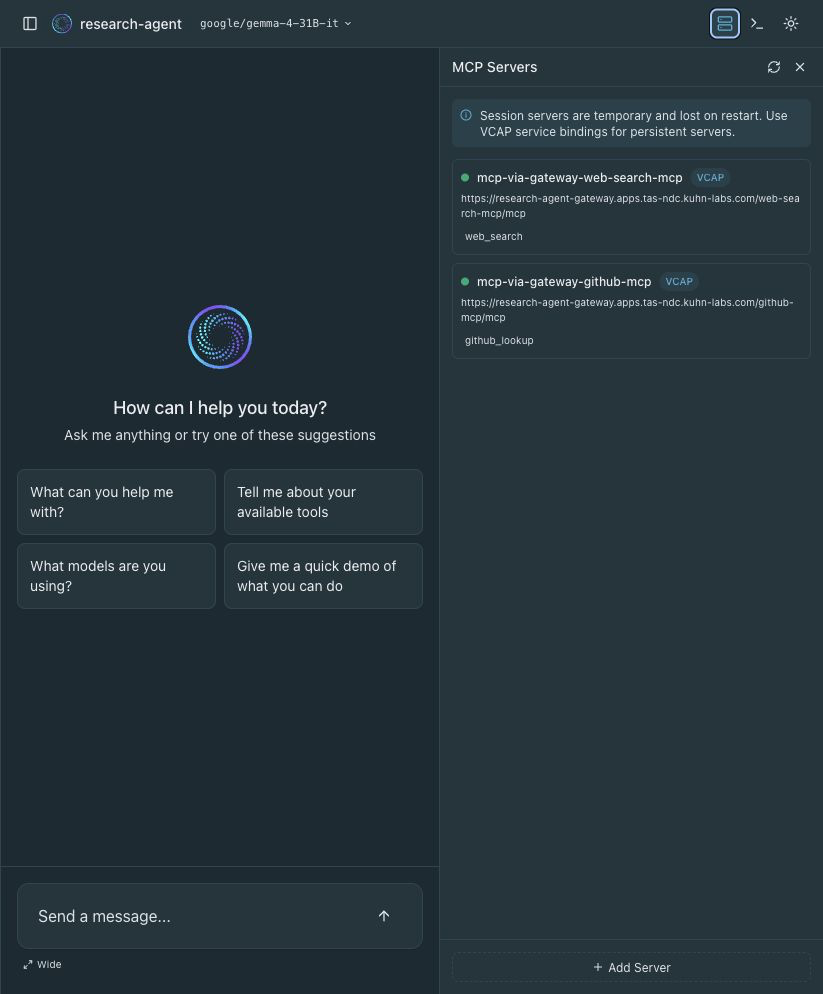
The agent UI shows the same shape: two VCAP-discovered MCP servers, each pointing at a gateway path, with the available tools enumerated under each server. In the lightweight screenshot setup below, the web-search backend exposes web_search; the full Spring AI backend from the repo can expose additional search helpers like web_search_json and quick_search.
Drive a tool call
Open the agent and ask something that needs the web:
Use your web search tool to find the official Cloud Foundry Foundation website, then give me the URL and a one-sentence summary.
The model decides to call web_search, the request flows agent → gateway → backend → Brave, the results flow back, and the model synthesizes an answer with a real URL and a citation. That's the whole loop: a model running on the platform, calling a tool running on the platform, through a gateway running on the platform — and you wired it with cf commands.
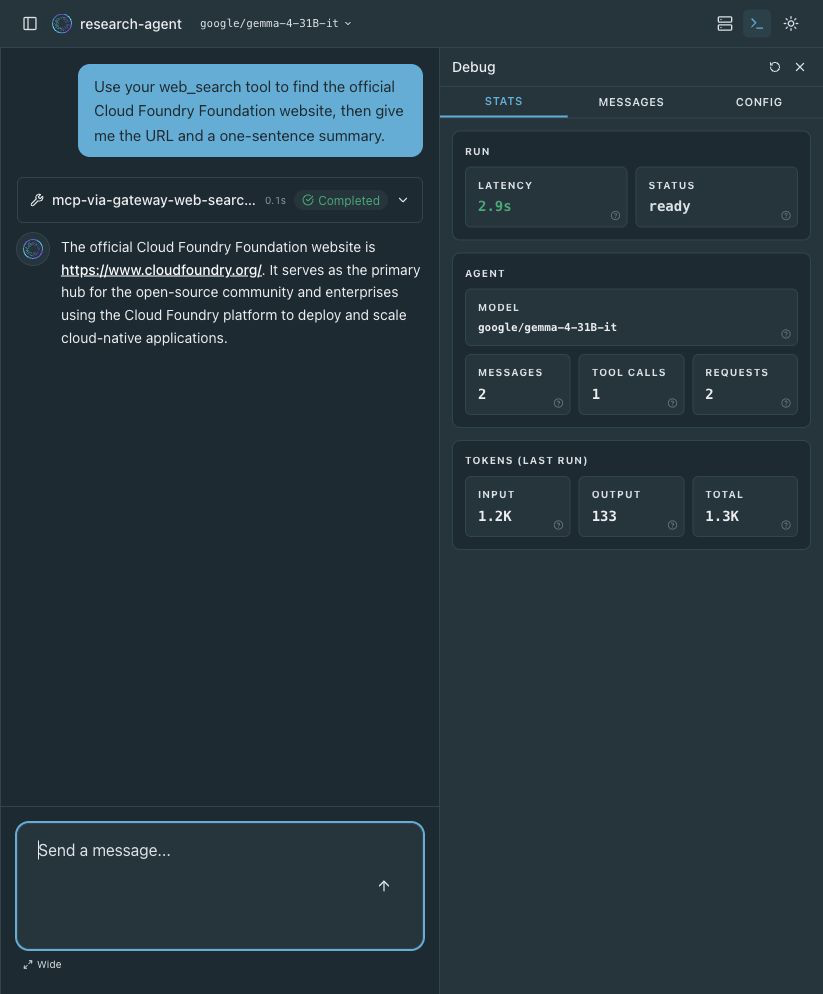
web_search call, and the debug panel records one tool call against google/gemma-4-31B-it.Field tip: make sure the agent is pointed at a model whose capabilities include tools (see Part 1). A chat-only or embedding model won't emit tool calls, and the loop above silently never fires.
Where this goes next
The gateway you just built is now the shared extension point for the rest of the series. The on-platform agent used it first, but the same managed route can serve developer tools, local harnesses, CI checks, and custom chat UIs. In Part 3 I point Cursor, Claude Code, Goose, and Codex at this exact gateway, then show how the same landing zone can broker auth for protected tools like web search and GitHub.
TL;DR
- Push MCP servers as ordinary CF apps; give each an
apps.internalroute. cf create-service mcp-gateway gateway agent-gateway, thencf bind-service <backend> agent-gatewayper backend.- The gateway publishes one path per backend (
/<backend>/mcp) — no aggregate endpoint. - Give the agent one HTTPS gateway UPSI per backend tagged
mcp-server, bind, and restage. - Ask a tool-shaped question and the model calls the tool through the gateway.