Build Custom Claude Apps on Tanzu Platform
Wrap the Claude Agent SDK in a small Cloud Foundry service and call it from your apps and pipelines — a code reviewer, an incident triager, a chat UI — with the worker running near your internal systems.
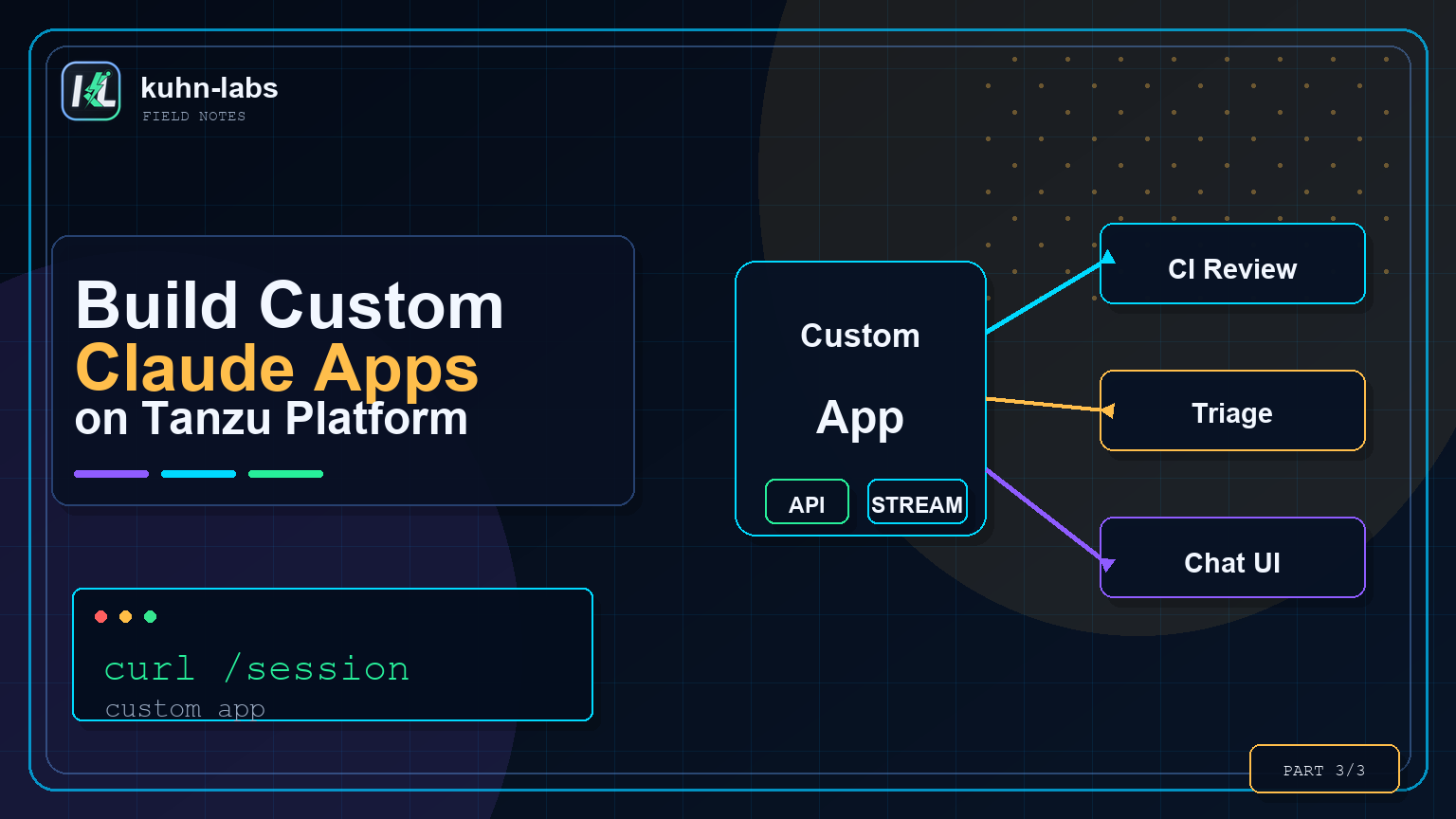
This is Part 3 of the series. Part 1 laid out why the Claude harness can run on Tanzu Platform, and Part 2 used that image as a runner you can drive from your phone. This one is the workhorse. Most of the value I get from a self-hosted agent isn't a chat box at all; it's a small HTTP endpoint my other apps and pipelines can call. A code reviewer. An incident triager. A changelog generator. Things that run server-side, near the data, with no human in the loop.
That's what API mode is for. It's the same image from Part 1, run as a tiny service around the Claude Agent SDK.
Why internal tools are the real payoff
An interactive agent is useful when a person wants to steer. An internal tool is useful when an organization wants the same agent capability embedded into normal workflows: pull requests, incident response, release notes, compliance checks, support triage, or a team portal. The user should not have to know how the agent is packaged, where its token lives, or which model endpoint it uses. They should see a focused tool that does one job well.
Running that tool on Tanzu keeps the worker near the systems it needs to inspect while keeping the model call on your approved Claude path. The app can read internal logs, repos, docs, or APIs according to the identity and egress rules you bind to it. That is the difference between a clever local script and something a platform team can offer as shared infrastructure.
This is also where Tanzu Platform earns its keep. You are not inventing a new AI control plane for every use case. You are shipping a normal app with a route, health check, logs, scaling, service bindings, and network policy. App teams build the purpose-built experience; the platform supplies the operational envelope.
What you are building
The architecture is intentionally small: one Cloud Foundry app exposes POST /session, forwards the prompt to the Claude Agent SDK, and streams the agent events back to the caller as NDJSON. Everything else is a client: a terminal wrapper, a CI step, an incident command, or a browser UI.
That shape keeps the platform boundary simple. You deploy one worker, secure one route, watch one log stream, and let each use case specialize in the prompt and presentation layer.
Extend custom apps with MCP Gateway
The Claude app exposes POST /session and returns an NDJSON event stream. MCP Gateway is how that app gets useful, governed tools without hardcoding every integration into the application. The browser UI, CI job, or incident command still talks to your Claude app; the Claude app calls approved MCP tools through gateway-backed URLs.
This is the same gateway idea from Part 2, but with a different front door. There, a human drives a remote worker from claude.ai or mobile. Here, an app owns the experience, the Agent SDK owns the model/tool loop, and the gateway owns access to shared tools.
The server is intentionally small
The Agent SDK gives you a query() function that returns an async stream of the agent's messages — its text, its tool calls, its results. In my working implementation, the server adds bearer auth, per-session workspaces, health checks, and a state directory. The core shape is still small: accept a prompt, call query(), stream each SDK message back as newline-delimited JSON.
import http from 'node:http';
import { randomUUID } from 'node:crypto';
import { query } from '@anthropic-ai/claude-agent-sdk';

const workspaceFor = (sessionId) => `/app/workspaces/${sessionId}`;

http.createServer(async (req, res) => {
  if (req.method === 'GET' && req.url === '/healthz') {
    res.writeHead(200, { 'Content-Type': 'application/json' });
    res.end(JSON.stringify({ ok: true }));
    return;
  }
  if (req.method !== 'POST' || req.url !== '/session') {
    res.writeHead(404).end(); return;
  }
  const token = req.headers.authorization?.replace(/^Bearer /, '');
  if (token !== process.env.SANDBOX_AUTH_SECRET) {
    res.writeHead(401).end(); return;
  }
  const { prompt, sessionId, allowedTools } = JSON.parse(await readBody(req));
  const id = sessionId || randomUUID();

  res.writeHead(200, {
    'Content-Type': 'application/x-ndjson',
    'X-Session-Id': id,
  });
  const stream = query({
    prompt,
    options: {
      cwd: workspaceFor(id),
      permissionMode: 'bypassPermissions',          // the container is the sandbox
      allowedTools: allowedTools || ['Read', 'Write', 'Edit', 'Bash', 'Glob', 'Grep'],
    },
  });
  for await (const msg of stream) res.write(JSON.stringify(msg) + '\n');
  res.end();
}).listen(8080);
No framework requirement, no queue requirement, no vector store requirement. Just a stream and a contract: send { prompt, sessionId?, allowedTools? }, receive Agent SDK events as NDJSON, and carry the session id forward when you want the next turn to continue in the same workspace. Everything below is a client of that one endpoint.
Ship it the usual way
cf push claude-tools \
  --docker-image <your-registry>/claude-on-cf:latest \
  --health-check-type http \
  --endpoint /healthz \
  -f manifest.yml

cf set-env claude-tools SANDBOX_MODE api
cf bind-security-group claude-egress <org> --space <space>
cf start claude-tools

curl -s https://claude-tools.<your-cf-domain>/healthz   # {"ok":true}
Now it's a normal internal endpoint. That is the important Tanzu point: you can route it, protect it, scale it, restart it, observe it, bind services to it, and put it behind the same platform controls as any other app. Here are four tools I built on top of it — each is just a different prompt and a different caller.
Choose the right client shape
Use the same endpoint, but be deliberate about the client. A human-facing tool should explain what it is doing. A CI gate should be strict and machine-parseable. An incident tool should prefer structured fields over prose. The agent can be flexible; the wrapper should be opinionated.
That separation is what keeps the pattern maintainable. The platform team can harden and operate one worker image. App teams can build small wrappers around it: a shell script, a GitHub Action, a cf run-task, a Slack command, or a browser page. If the prompt contract is clear, humans and automation can both consume it.
Here is the map for the four examples below. They all call the same /session endpoint; what changes is the wrapper and the output contract:
VERDICT: PASS|BLOCK plus concise findings.
1. A terminal REPL
The simplest client streams the endpoint to your terminal. REPL means read-eval-print loop: you type an instruction, the client sends it to the Claude app, the worker evaluates it with the model and tools, and the result prints back into the same session. In my working implementation, this is a dependency-free Node client that posts to /session, pretty-prints the NDJSON messages, captures X-Session-Id, and sends that session id back on the next turn so the same workspace continues. Ask it to do things, not just answer — you'll see the Write and Bash tool calls go by, then the result:
$ claude-tools "create hello.py that prints the time, then run it"
  ⚙ Write  hello.py
  ⚙ Bash   python3 hello.py
claude  Done — hello.py prints the current time; running it output 14:02:53.
  · turns 4 · $0.01
2. A code-review gate in CI
Because it's just HTTP, a pipeline step can call it. I feed it a diff and ask for a strict verdict, then fail the build on BLOCK. My working implementation exercises this three ways: a shell step with curl and jq, a GitHub Actions job where GitHub orchestrates but CF executes the review, and a cf run-task path when even the CI control needs to stay inside the foundation.
DIFF=$(git diff origin/main...HEAD)
REVIEW=$(curl -s https://claude-tools.<your-cf-domain>/session \
  -H "Authorization: Bearer $SANDBOX_AUTH_SECRET" \
  -H 'Content-Type: application/json' \
  -d "$(jq -n --arg p "Review this diff. Reply 'VERDICT: PASS|BLOCK' then findings.

$DIFF" '{prompt:$p, allowedTools:[]}')" | jq -rj 'select(.type=="assistant")
      | .message.content[]? | select(.type=="text") | .text')

echo "$REVIEW"
grep -q '^VERDICT: BLOCK' <<<"$REVIEW" && exit 1 || exit 0
For a fast diff-only review, pass allowedTools: [] and force the response contract: VERDICT: PASS|BLOCK plus concise findings. For a deeper review, let the sandbox workspace contain the repo and allow Read, Grep, and Glob. Either way, the important part is that the review can happen near private code, private libraries, and internal conventions a public reviewer never sees. Drop a hardcoded secret into the diff and it blocks the build.
3. An incident triager
Pipe a log or a stack trace in, get a structured root cause out. Same endpoint, a triage-shaped prompt. The demo implementation asks for SUMMARY, ROOT CAUSE, IMPACT, FIX, and CONFIDENCE, which matters because incident tooling needs fields that can be pasted into a ticket or sent to chat without cleanup:
cf logs orders-api --recent | claude-triage
  SUMMARY:    Connection-pool exhaustion took down POST /orders.
  ROOT CAUSE: Connections aren't returned to the pool (leak in
              OrderRepository.insert). Auto-scaling then pushed total
              connections past the database limit.
  FIX:        Wrap the acquire in try/finally; cap pool size per instance.
  CONFIDENCE: high
It reasoned about something a regex alert can't: that scaling out made the database problem worse because more app instances multiplied the connection pool. That's the kind of judgement that's useful at 2 a.m. And because the tool runs on the platform, the same wrapper can later read private runbooks, query an internal status API, or look at recent app logs according to the access you give it.
4. A browser chat UI for the team
For the humans, a small static page streams the same endpoint. I keep the auth token server-side with a tiny proxy, so nothing secret touches the browser and there is no CORS fight. The page talks to a same-origin /session, the proxy injects the bearer token, and the UI renders tool calls as they arrive. Great for a demo, and an easy on-ramp for teammates who don't live in a terminal.
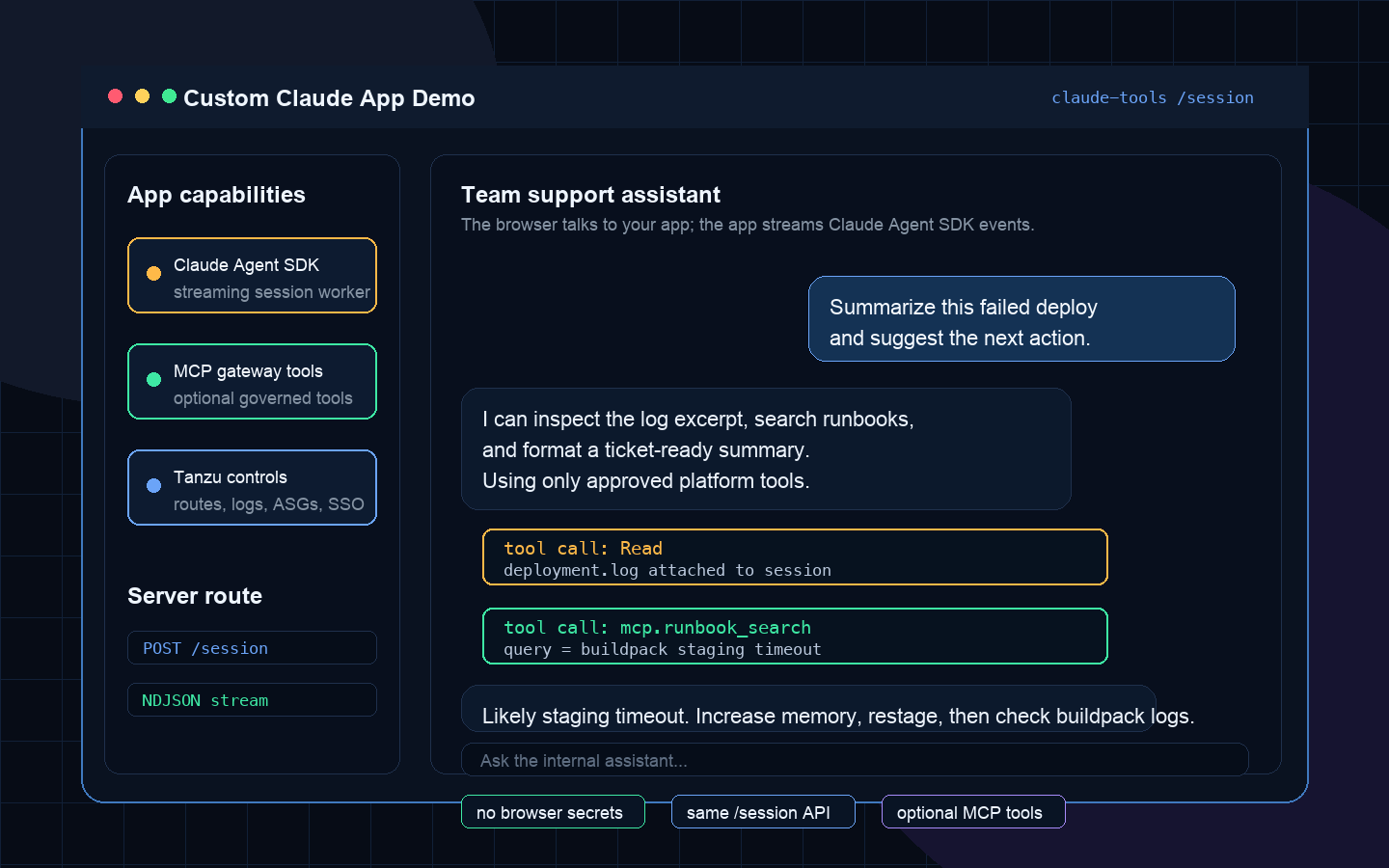
The server-side code shape stays close to the rest of the post: the browser calls your app, your app calls the Agent SDK, and the worker can be configured with gateway-backed MCP tools when the workflow needs them:
const mcpServers = {
  runbooks: {
    type: "streamable-http",
    url: "https://agent-gateway.<your-cf-domain>/runbooks-mcp/mcp"
  },
  github: {
    type: "streamable-http",
    url: "https://agent-gateway.<your-cf-domain>/github-mcp/mcp"
  }
};

app.post("/session", async (req, res) => {
  const stream = query({
    prompt: req.body.prompt,
    options: {
      cwd: workspaceFor(req.session.id),
      mcpServers,
      allowedTools: ["Read", "Grep", "Bash"]
    }
  });

  for await (const event of stream) {
    res.write(JSON.stringify(event) + "\\n");
  }
  res.end();
});
In production I would serve that UI from the app itself, put SSO in front of the route, and keep the worker token in the server-side environment or a bound secret service. That turns the demo into a real internal tool: app teams get a clean web experience, while the platform still owns the worker and the guardrails.
The part that makes it enterprise-friendly
All four tools share the same property: the agent worker executes on the foundation. Its egress is an Application Security Group you control, its logs flow into the platform's drain, and its identity is whatever your platform team binds. The model request still goes to your configured Claude endpoint, so treat prompts as data and send only what your policy allows. The worker, tools, credentials, and internal network access stay where the work already lives.
The platform primitives are doing real work here. Routes give every tool a stable URL. Health checks and restarts keep the worker alive. Logs make agent turns auditable. ASGs decide which internal systems the worker can reach. Service bindings give you a place for secrets, databases, MCP gateways, or model credentials without baking them into the image. Scaling is the same knob your app teams already know.
And because each tool is a client of one streaming endpoint, adding the fifth tool is a new prompt and a new caller, not a new deployment. That is the organizational win: platform owns the worker and guardrails; app teams compose focused tools on top of it.
TL;DR
- API mode wraps the Claude Agent SDK's
query()in a small service:POST /sessionstreams the agent's work as NDJSON. - Same image as the series,
SANDBOX_MODE=api, shipped withcf push. - Build tools as clients of that one endpoint: a REPL, a CI review gate, an incident triager, a team chat UI, or any other focused workflow.
- The agent worker runs on the foundation — egress, logging, and identity are the platform's, while model prompts still follow your configured Claude data path.
- That wraps the series: Part 1 (why run the harness on Tanzu), Part 2 (remote workers), and this — internal tools.