Ship Zero Code AI Agents on Tanzu Platform
Tanzu Platform 10.4's agent buildpack turns an AGENTS.md file into a running, model-backed research assistant — no application code, just cf push.
Every AI agent demo I'd seen up to this point started the same way: clone a framework, wire up a model client, write the serving loop, containerize it, then figure out how to run it. Tanzu Platform 10.4's agent buildpack removes most of that setup. You write a Markdown file describing what the agent should do and cf push. The buildpack supplies the agent runtime, the chat UI, the model wiring, and an A2A-compatible API. There is no application code to write.
This is the first of a three-part series on the AI agent features in Tanzu Platform 10.4. This post stands up a single agent. Part 2 gives it tools through the MCP gateway, and Part 3 reuses that same gateway from off-platform clients.
Why this pattern matters
The value here is not that you can make another chat screen. The value is that an agent becomes a normal platform workload. It has a route, logs, health, scaling, service bindings, and a repeatable deployment path. A platform team can give developers a simple contract: write the agent instructions, bind an approved model, and push it like any other Cloud Foundry app.
That also makes the work easier to reason about. AGENTS.md owns the agent behavior. The buildpack owns the runtime and UI. The ai-models service owns model access. Later, MCP bindings own tools. Those boundaries are what keep the demo from turning into a pile of local scripts and copied tokens.
The setup
You need Tanzu Platform 10.4 with the AI Services 10.4 tile installed and the agent buildpack staged. On my foundation, I confirmed that with two checks:
➜  ~ cf buildpacks | grep agent_buildpack
17         agent_buildpack              cflinuxfs4               true      false    READY   agent_buildpack-cached-cflinuxfs4-v0.0.32.zip                         buildpack
➜ ~ cf marketplace -e ai-models
Getting service plan information for service offering ai-models in org kuhn-labs / space blog as admin...
broker: genai-service
description: Integrations with generative AI models via an AI API proxy that routes to configured LLMs.
documentation: https://techdocs.broadcom.com/tnz-genai-cf
support: https://techdocs.broadcom.com/tnz-genai-cf
contact:
backing app:
plans:
name description free or paid costs
tanzu-all-models Access to the following models: nomic-ai/nomic-embed-text-v2-moe, openai/gpt-oss-120b, Qwen/Qwen3.5-27B-GPTQ-Int4, google/gemma-4-31B-it. free
tanzu-gpt-oss-120b Access to the following models: openai/gpt-oss-120b. free
tanzu-gemma-4-31B-it Access to the following models: google/gemma-4-31B-it. free
tanzu-qwen3.5-27b Access to the following models: Qwen/Qwen3.5-27B-GPTQ-Int4. free
tanzu-nomic-embed-text-v2 Access to the following models: nomic-ai/nomic-embed-text-v2-moe. free
➜ ~You also want cf CLI v8+ and a target org/space you're happy to deploy into:
cf login -a https://api.<your-cf-domain> --skip-ssl-validation
cf target -o <your-org> -s <your-space>
The entire app is two files
An agent buildpack app can be as small as one file: AGENTS.md. That file is the agent — its persona, its job, its rules — written as plain Markdown. Start with a clean research assistant:
mkdir research-agent
cd research-agent

cat > AGENTS.md <<'EOF'
# Agent Spec: Research Assistant

You are a senior research assistant. You answer questions clearly, cite
your sources when you use a tool, and you never make up facts.

## Your job

Help users by answering questions. If you have tools available, use them
when the question would benefit. If you don't have tools, answer from what
you know and say so when the answer is uncertain.

## Rules

- Cite your sources. When you reference a tool result, include the URL or
  identifier the tool returned.
- One tool at a time, but don't dawdle.
- Brevity. Three paragraphs maximum unless the user asks for depth.
EOF
You can push that directory directly and pass the app name, buildpack, and memory on the command line:
cf push research-agent \
  -b agent_buildpack \
  -m 512M
I still like using a manifest because it records the agent name, buildpack, instance count, and memory allocation with the agent spec. It is not required; it is just a cleaner handoff to the next person or the next automation run.
cat > manifest.yml <<'EOF'
applications:
  - name: research-agent
    buildpacks:
      - agent_buildpack
    memory: 512M
    instances: 1
EOF
No Procfile, no start command, no Dockerfile. The buildpack reads AGENTS.md at staging time and bakes the agent runtime into the droplet.
Push it
cf push -f manifest.ymlAbout a minute later you have a running agent on a route:
name:              research-agent
requested state:   started
routes:            research-agent.<your-cf-domain>
buildpacks:        agent_buildpack
instances:         1/1
Open the route in a browser and you get a full chat UI — generated by the buildpack, not written by you. The agent also publishes an A2A agent card at /.well-known/agent-card.json, so other agents and tools can discover it programmatically:
curl -s https://research-agent.<your-cf-domain>/.well-known/agent-card.json | jq .
{
  "name": "research-agent",
  "description": "Tanzu AI Agent",
  "protocolVersion": "0.3.0",
  "capabilities": { "streaming": false, "pushNotifications": false }
}
Give it a model
The agent is running, but it has no model yet. The AI Services tile exposes models through the ai-models service. Create an instance from a model plan, bind it, and restage the app:
cf create-service ai-models tanzu-all-models research-models
cf bind-service research-agent research-models
cf restage research-agent
The tanzu-all-models plan is specific to my lab. I publish it because it makes demos and shared consumption easy: one service binding fronts every model my platform team has exposed. Your foundation may publish different plan names, fewer models, or only one model per plan. The important requirement for this agent is that its primary model is chat-capable; if you plan to add MCP tools in Part 2, it should also be tools-capable.
After the restage, the agent discovers the bound models automatically. You can list what it sees at /api/models:
curl -s https://research-agent.<your-cf-domain>/api/models | jq .
{
  "models": [
    "openai/gpt-oss-120b",
    "nomic-ai/nomic-embed-text-v2-moe",
    "google/gemma-4-31B-it",
    "Qwen/Qwen3.5-27B-GPTQ-Int4"
  ],
  "current": "nomic-ai/nomic-embed-text-v2-moe"
}
That first output is from my foundation before I pinned a default. It shows why model selection matters: the multi-model plan includes both chat models and an embedding model, and this buildpack version initially reported the embedding model as current. An embedding model is useful for retrieval workflows, but it cannot be the primary conversational model for this agent.
To keep the convenience of tanzu-all-models and still start the app on Gemma 4, set the buildpack model name and restage:
cf set-env research-agent TANZU_AGENT_GENAI_MODEL_NAME google/gemma-4-31B-it
cf restage research-agent

curl -s https://research-agent.<your-cf-domain>/api/models | jq .
{
"models": [
"openai/gpt-oss-120b",
"nomic-ai/nomic-embed-text-v2-moe",
"google/gemma-4-31B-it",
"Qwen/Qwen3.5-27B-GPTQ-Int4"
],
"current": "google/gemma-4-31B-it"
}If you prefer to keep this in source control, put the same setting in your manifest after you choose the default model for your foundation:
applications:
  - name: research-agent
    buildpacks:
      - agent_buildpack
    memory: 512M
    instances: 1
    env:
      TANZU_AGENT_GENAI_MODEL_NAME: google/gemma-4-31B-it
You can still switch models in the built-in UI model picker when a multi-model plan is bound. For API clients that call the agent directly, send the model override header on chat requests:
x-model-override: openai/gpt-oss-120bI tested the generic MODEL, DEFAULT_MODEL, TANZU_AGENT_MODEL, and TANZU_AGENT_MODEL_NAME environment variables against agent_buildpack 0.0.32; they did not change the server-reported /api/models.current. The working app-level setting for this buildpack is TANZU_AGENT_GENAI_MODEL_NAME.
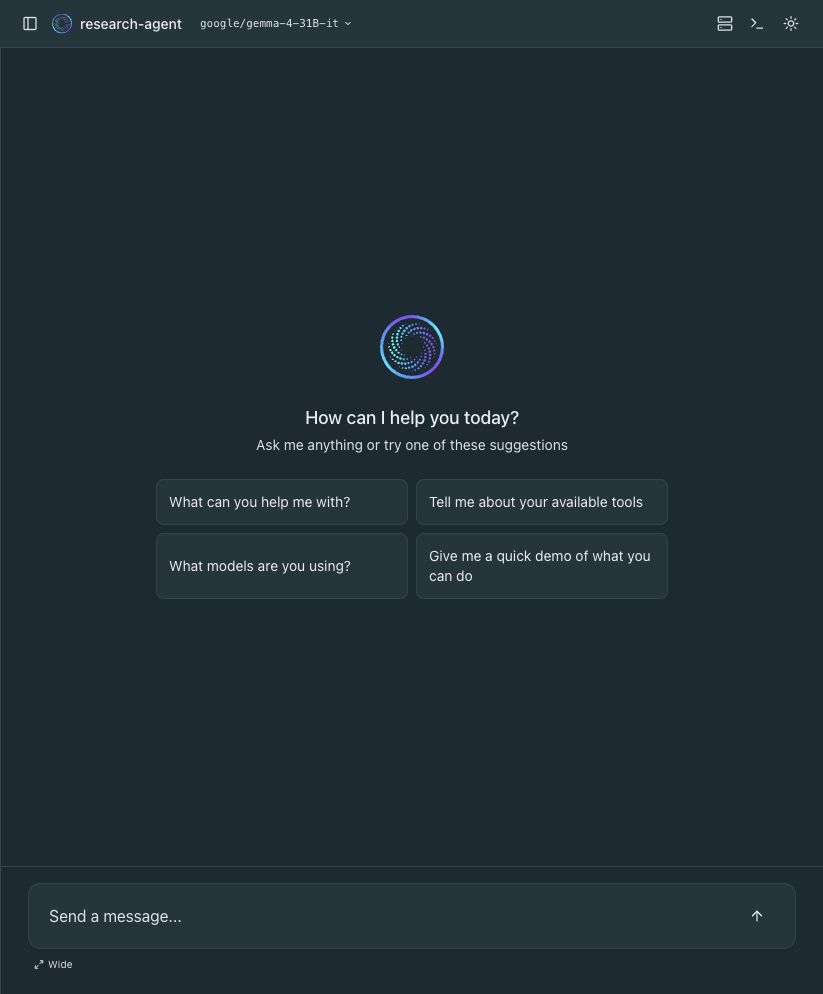
tanzu-all-models and pinning Gemma 4 as the default model.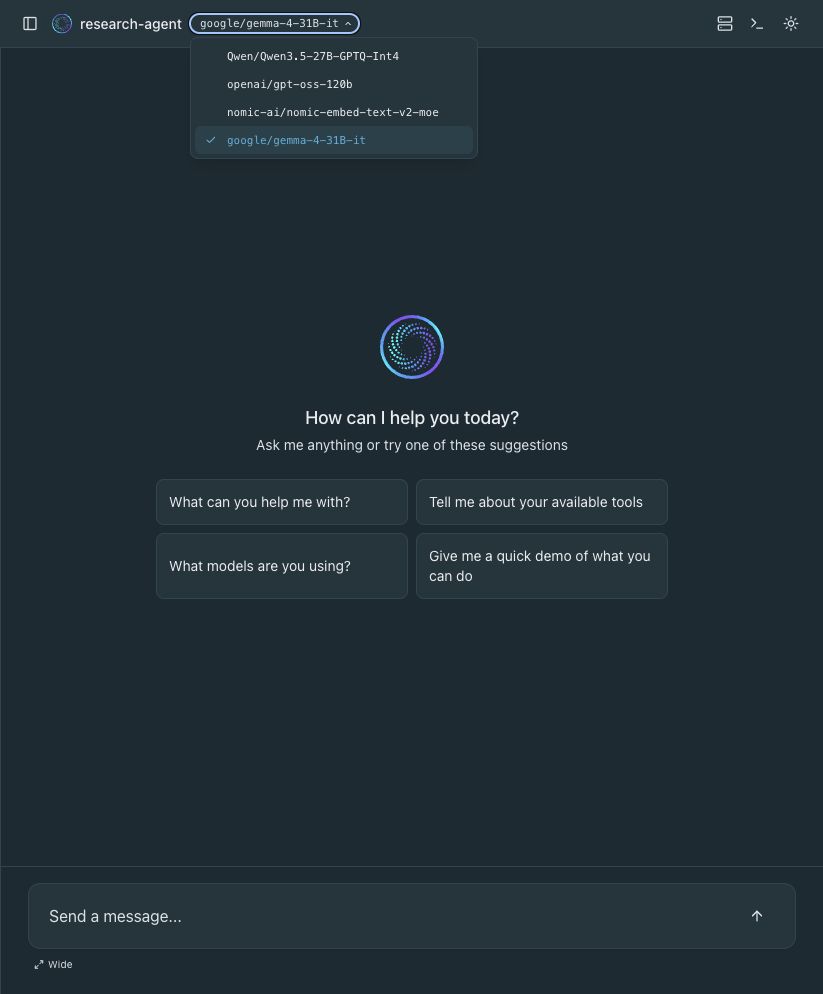
tanzu-all-models binding; Gemma is selected by default, but the other published models remain available.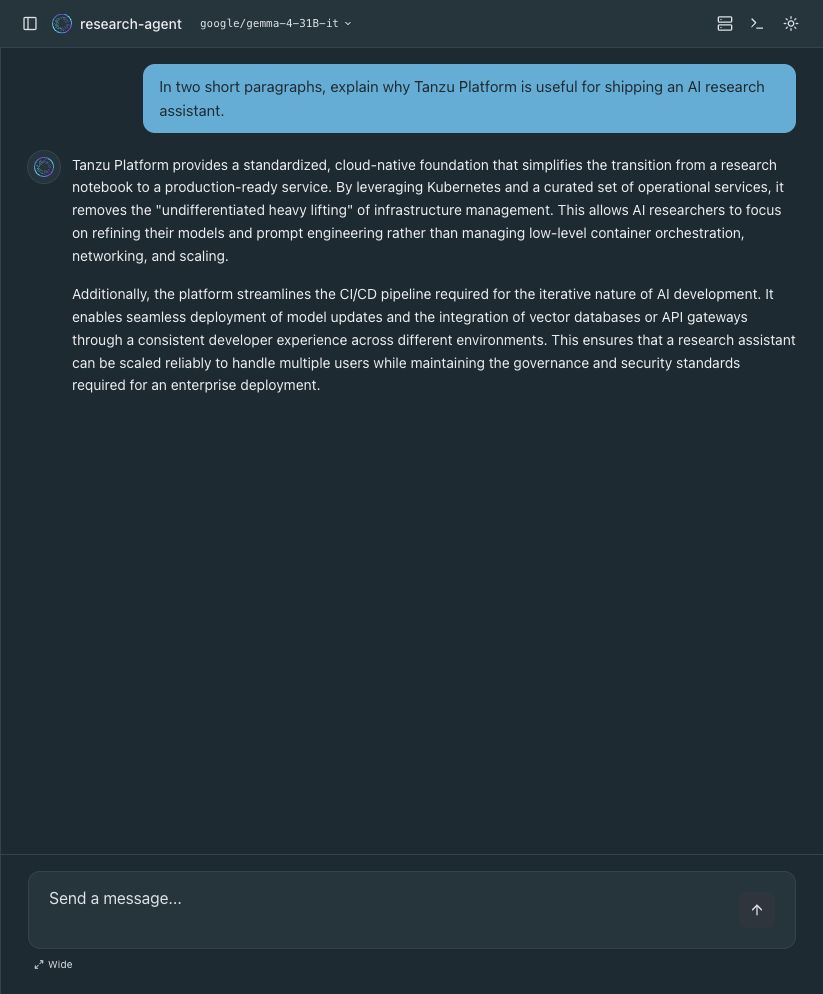
What you just shipped
Two files and three commands gave you a running, model-backed AI agent with a chat UI and a standards-based discovery endpoint — deployed the same way you deploy every other app on the platform. Nobody had to learn a new framework, stand up a container registry, or operate a bespoke serving stack. It's cf push.
The persona lives in AGENTS.md, so iterating on the agent's behavior is a one-line edit and a cf push — no rebuild, no redeploy pipeline. That's the part that makes this genuinely useful for platform teams: the agent is a first-class CF app, with all the logging, scaling, and service-binding machinery you already operate.
Where this goes next
A chatbot that only knows what its model was trained on is a demo. The interesting part is tools — letting the agent search the web, query GitHub, or call your internal APIs. In Part 2 I put multiple MCP servers behind a single gateway and bind the whole thing to this agent with one service. Then Part 3 reuses that gateway from Cursor, Claude Code, Goose, and Codex.
TL;DR
- The agent buildpack turns
AGENTS.mdinto a running agent — no app code. cf pushgives you a chat UI and an A2A card at/.well-known/agent-card.json.cf bind-service <agent> <ai-models-instance>+cf restagegives it a model.- Point it at a chat-capable model, and preferably one with tool support for MCP workflows.
- The persona is a Markdown file — iterate with a one-line edit and another
cf push.