Run Claude Remote Workers on Tanzu, Not Your Laptop
Run claude remote-control workers on Tanzu Platform, drive them from Claude mobile or claude.ai, and scale agent work without depending on your local laptop.
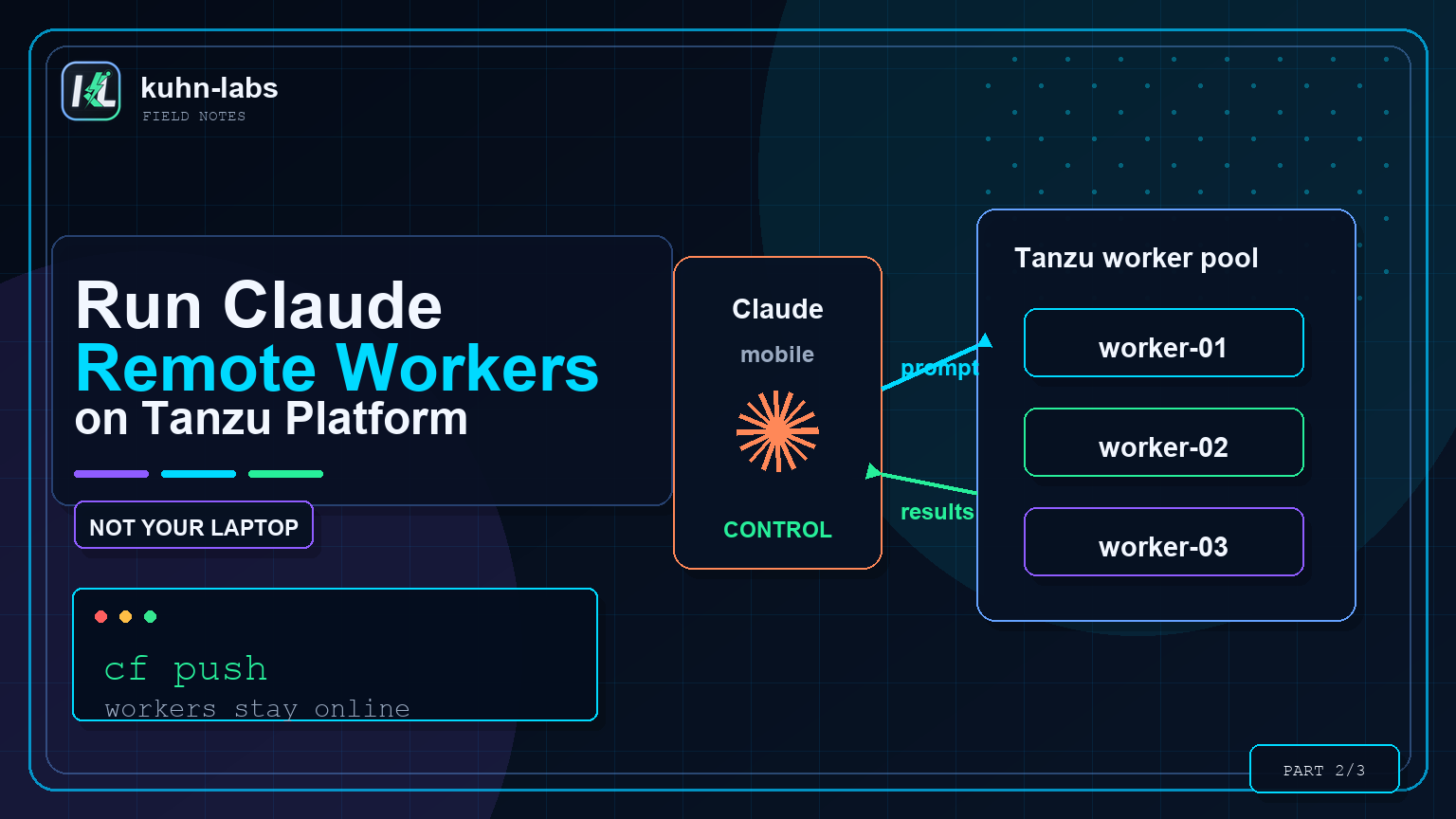
Most AI coding workflows quietly assume the agent runs on your laptop. That is convenient until it is not: your laptop goes to sleep, the VPN drops, the task needs a private network path, or you want more than one worker without turning your own machine into the execution platform.
The pattern I want is closer to GitHub self-hosted runners. The hosted service orchestrates, but the work runs on a runner inside my network, with access to the things a public runner cannot reach. The control plane is hosted; the execution plane is mine.
Claude remote control gives us that split for agent work. claude remote-control runs a Claude Code session as a long-lived worker. You drive it from claude.ai or the Claude mobile app, but the agent executes wherever that worker runs. Put those workers on Tanzu Platform and you get Claude remote workers that live on your foundation — not on your laptop — with platform egress, logs, scaling, and isolation around them.
This is Part 2 of a three-part series. Part 1 laid out the Tanzu Platform runtime pattern and container shape. This post turns that image into an interactive runner. Part 3 uses the same foundation to build internal HTTP tools around the Agent SDK.
What you are building
The phone or browser is only the control surface. The runner is the execution surface. That distinction is the whole design: the human can start and steer work from anywhere, while commands, file edits, test runs, and network calls happen inside the Cloud Foundry container you operate.
Why this helps an org
A runner is useful when the task needs access to private systems but the human does not need a full workstation sitting on that network. A developer can ask for a test fix from a phone. An SRE can ask for a log summary while away from their laptop. A platform engineer can keep the agent near repos, internal APIs, and package mirrors without opening those systems to every hosted execution environment.
It also gives the platform team a clean operating model. Runners are named CF apps, so you can see them, scale them, restart them, drain logs, delete them, and scope their egress. That makes the pattern easier to govern than a collection of long-lived laptops, one-off bastions, or personal tokens pasted into desktop tools.
| Local laptop runner | Tanzu remote worker |
|---|---|
| Stops when the lid closes, battery dies, or VPN drops. | Keeps running as a platform app with normal restart and log behavior. |
| Uses the developer machine as the automation boundary. | Uses CF app isolation, ASGs, quotas, and service bindings as the boundary. |
| Hard to scale without more local processes and more local risk. | Scales by pushing more named workers with different workspaces and policies. |
Switch the image into remote-worker mode
In Part 1 I package the agent as one container image with a SANDBOX_MODE switch. API mode turns the image into an HTTP service. Remote-worker mode turns the same image into a long-lived claude remote-control process:
# inside the container (SANDBOX_MODE=rc), the entrypoint runs:
exec claude \
  remote-control \
  --name "tanzu-runner-1" \
  --permission-mode bypassPermissions \
  --spawn same-dir
The container is the worker boundary: Diego isolation plus an egress allowlist (an Application Security Group) controls where the agent can go. That is why I am comfortable using bypassPermissions here: not because the agent is harmless, but because the worker is disposable, scoped, and fenced by the platform.
Treat the runner like a powerful automation worker. Give it a narrow workspace, a dedicated identity, and an egress policy that matches the job. The convenience comes from remote control; the safety comes from the platform boundary around the worker.
Push it
cf push tanzu-runner-1 \
  --docker-image <your-registry>/claude-on-cf:latest \
  --health-check-type process \
  -f manifest.yml

cf set-env tanzu-runner-1 SANDBOX_MODE rc
cf bind-security-group claude-egress <org> --space <space>
cf start tanzu-runner-1
When it comes up, the logs tell you it has joined:
cf logs tanzu-runner-1 --recent | tail
  rc: starting Remote Control as 'tanzu-runner-1'
  ✔ Connected · workspace · main
  Capacity: 1/32 · New sessions will be created in the current directory
  Continue coding in the Claude mobile app or https://claude.ai/code?environment=env_...
That ✔ Connected line is the whole point. Open the Claude mobile app (or claude.ai/code), and tanzu-runner-1 shows up as an environment you can open and drive.
Drive it — and prove where it ran
From my phone, I sent the runner a small task: "Run the tests with node --test, find the failing one, fix it, and show me the diff." I watched it run the suite, read the failure, edit the file, and re-run — all streamed back to the phone. Then, to make the point concrete:
That hostname is the Diego container on the foundation. The thinking happened in the model; the work happened on Tanzu; I was holding a phone. That's the moment the whole pattern lands.
A clean checklist for a runner that just works
A remote-control runner wants a few details set correctly, and the deploy wires all of them up for you — worth knowing what they are:
- Use a login session, from
claude auth login(a refreshing claude.ai session), not a one-shot setup-token. Mint it into a dedicated config dir so it's its own identity. - Seed the account, not just the token. The runner needs your account/org details (a small
.claude.json) alongside the credentials so it knows which org it belongs to. The push step base64s both into the app env. - Run a current
claude. Remote Control keeps getting better; pin a recent version in the image. - Pre-accept the workspace. A non-interactive server can't click "trust this folder," so the entrypoint marks the workspace trusted before launch.
Once those are in place, boot-to-✔ Connected is a few seconds. The nice thing is they're all config the image handles — you just cf push.
Scale workers by isolation boundary
The Capacity: 1/32 line is easy to misread, so here is the practical version: it is capacity inside the one running claude remote-control process. A single CF app does not ask Cloud Foundry to create 32 new apps. Instead, that runner can accept multiple Claude remote-control sessions against the workspace it owns. Depending on the runner's spawn mode, those sessions may share the same directory or be split into separate working copies, but they still live inside the same app container, identity, quota, egress policy, and failure boundary.
That can be perfectly fine for a personal lab, a short demo, or a shared disposable runner where the work is low risk. For an organization, I would treat that capacity as headroom, not as the scaling model. If two teams need different repos, different credentials, different network access, or different blast radii, give them separate workers. The cleaner unit is one CF app per isolation boundary: a team, a repo family, an egress policy, or a short-lived task environment.
That is the part Tanzu Platform makes operationally simple. If you want ten isolated workers, you do not need ten laptops or ten always-open terminals. You push ten CF apps, give each one a name, workspace, quota, and ASG, and let the platform keep them running:
for i in $(seq 1 10); do
  cf push "tanzu-runner-$i" \
    --docker-image <your-registry>/claude-on-cf:latest \
    --health-check-type process -f manifest.yml
  cf set-env "tanzu-runner-$i" SANDBOX_MODE rc
  cf set-env "tanzu-runner-$i" RC_SESSION_NAME "tanzu-runner-$i"
  cf start "tanzu-runner-$i"
done
I ran several at once and each registered as its own environment in the mobile app — a little fleet of in-network workers, each waiting for a task. For a throwaway fleet I run them stateless (no bound volume), which makes them start fast and tear down clean. For team or repo-specific workers, bind a volume or seed a workspace intentionally. The point is that scale follows the platform model: more workers are more app processes and log streams, not more fragile local machines.
The runner does not have to be limited to the files and commands inside its workspace. You can preconfigure Claude Code with MCP servers that point at a Tanzu MCP Gateway, then tool calls leave the worker through approved gateway paths to systems like GitHub, service catalogs, runbooks, or observability APIs. The gateway owns tool auth and policy; ASGs still decide what the container itself can reach.
That is the bridge to Part 3: the same gateway pattern works when the Claude harness is hidden behind a custom app, CI step, or team chat UI.
Why this is useful
Driving an agent from your phone is a clear demo, but the substance is the split. The runner reaches the repos, registries, and internal services that live on your foundation — the things a runner has to be inside the network to touch — while you direct it from anywhere. It's the self-hosted-runner pattern your platform team already understands, now pointed at an AI agent. And it's a normal CF app the whole time: cf logs, cf scale, cf delete.
For organizations, that means less friction without giving up the boundary. A developer does not need VPN gymnastics or a custom workstation to kick off agent work. The platform team does not need to bless every local machine as an execution host. The runner sits in the middle: easy to reach from the Claude app, constrained by Tanzu where the work happens.
TL;DR
claude remote-controlon Cloud Foundry = Claude remote workers you drive from claude.ai / the mobile app while execution stays on Tanzu Platform.- Same image as Part 1,
SANDBOX_MODE=rc;cf push+ an egress ASG and you're connected. - Boot to
✔ Connectedneeds a login session (not a setup-token), the account metadata seeded, a currentclaude, and a pre-trusted workspace — all handled by the image. - Use the capacity line as a signal, but scale by isolation boundary: one worker per team, repo family, egress policy, or throwaway task environment.
- Next, Part 3: wrap the Agent SDK in a service and build internal AI tools.