Homelab to Hackathon: GenAI for TAS in a Box!
Building a portable 8-liter homelab for the VMware Explore Barcelona Hackathon featuring GenAI capabilities within Tanzu Application Service.
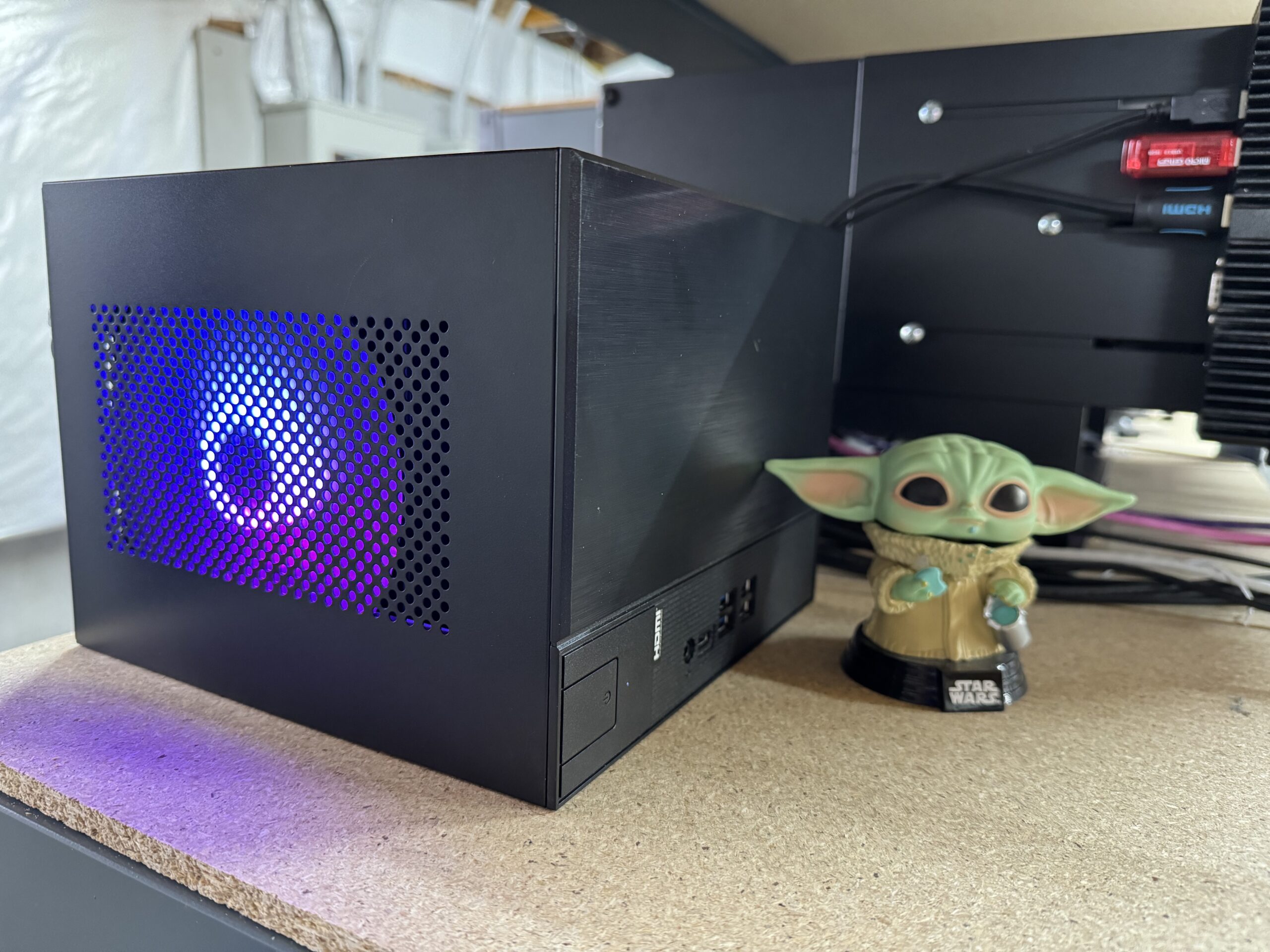
Yes, that's right: for Team TAS's project at the previous year's VMware Explore Barcelona Hackathon, I decided to take my love obsession with homelab gear to the next level.
We Put GenAI for Tanzu Application Service in an 8-liter box!
If you are unfamiliar with Tanzu Application Service, it is an application platform based on Cloud Foundry. Tanzu tiles extend the platform with additional capabilities. GenAI for TAS lets platform engineers publish privately hosted large language models (LLMs) through the service marketplace so application teams can consume them through familiar service bindings.
Why did I build a mobile #homelab?
My main goal was to build a machine for our team to host a small-runtime Tanzu Application Service (TAS) on vSphere, our beta GenAI for Tanzu Application Service tile, and the newly launched Tanzu Postgres Tile. I wanted to show how such a powerful solution could run on a single machine, but that machine also had to fit in a suitcase for international travel. I could have lugged one of my HP Z440s, but getting one through TSA and customs sounded like a non-starter.
Now, like all good #homelabbers, I spent waaaay too much time reading blogs from William Lam and the rest of the vCommunity. After relentless searching on eBay, Amazon, and Newegg, I settled on a BOM that fit the bill!
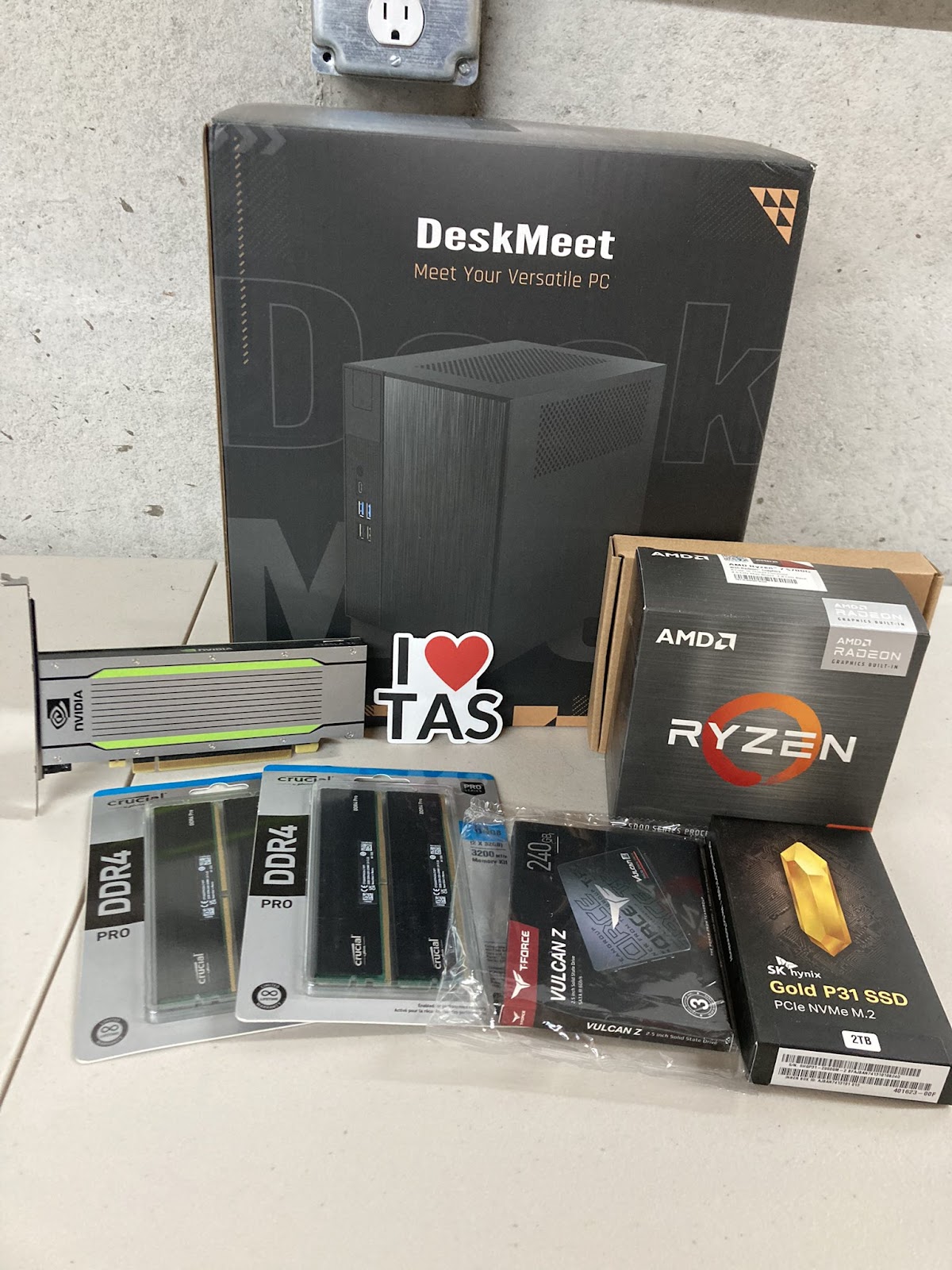
Everything is waiting to be assembled.
The BOM:
Chassis: ASRock DeskMeet X300
I picked this compact chassis because it could:
- Support 128 GB of RAM.
- Fit cleanly in a suitcase.
I could have used the Intel version (ASRock DeskMeet B660), but ESXi support for Intel's performance and efficiency core layout added complexity. I knew the AMD model's onboard NIC would not work out of the box, so I planned to use USB NICs.
CPU: AMD Ryzen 5700G (8c/16t) APU
I chose the highest-core-count processor I could put in the DeskMeet X300 while retaining integrated graphics. The PCIe slot would hold a Tesla card with no display output, so integrated graphics were essential.
RAM: 2 x Crucial Pro RAM 64 GB kits, DDR4-3200
I maxed out the system with four 32 GB DIMMs. I bought two kits during a Black Friday sale.
Storage (local VMFS): SK hynix Gold P31 2 TB NVMe
I used this drive as the primary local VMFS datastore for the single-node deployment. ESXi detected it without issue.
Storage (ESXi boot): TEAMGROUP T-Force Vulcan 240 GB SATA SSD
This inexpensive SSD served as the ESXi boot device.
GPU: NVIDIA Tesla T4
The DeskMeet provides only 20 cm of GPU clearance, which narrowed the enterprise options to the NVIDIA Tesla T4 or A2. I needed an enterprise card for the vGPU-backed BOSH deployment that hosted local LLM inference. I found a used T4 on eBay for about $700.
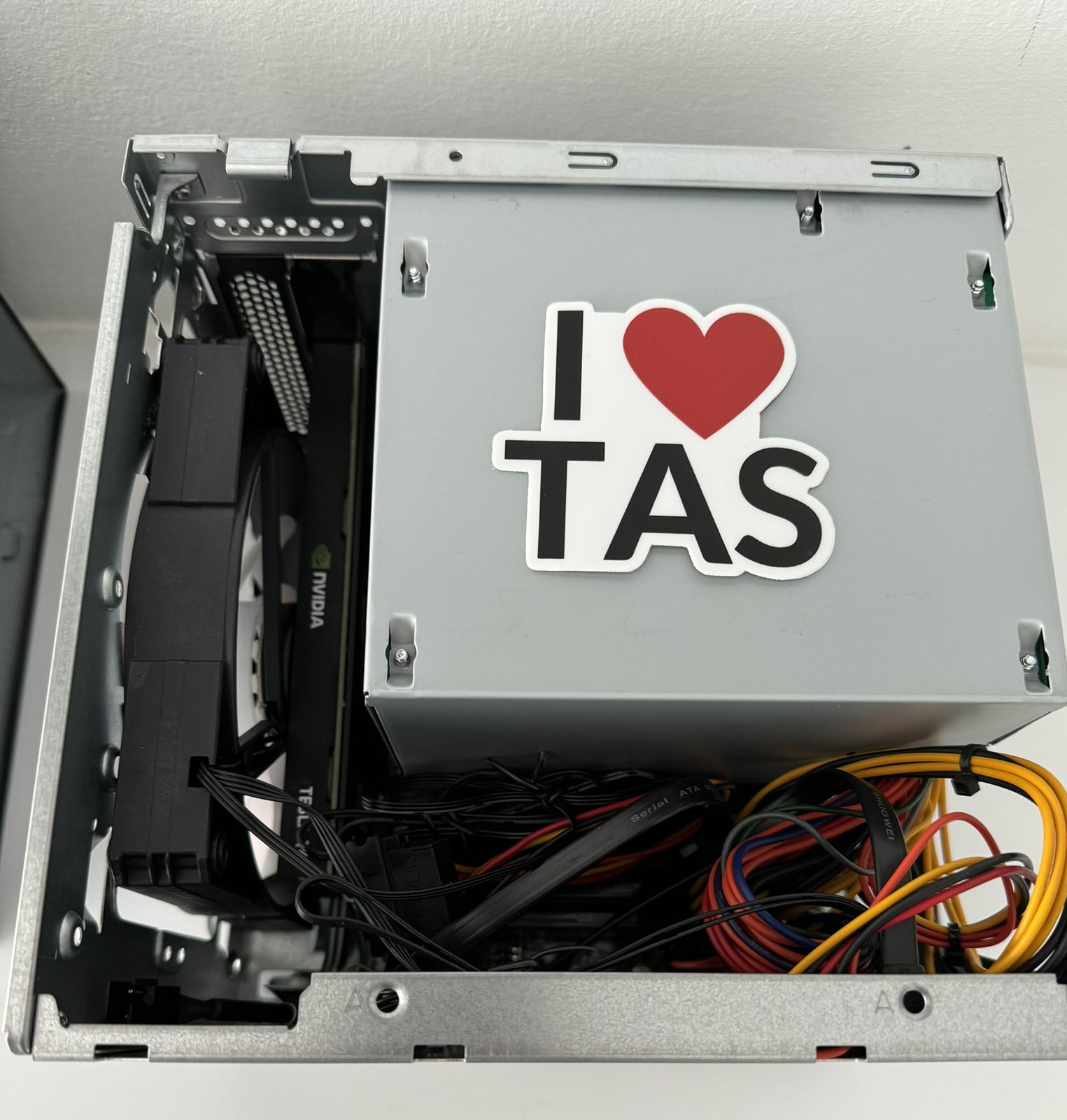
Excuse the cabling mess – but I wanted to show the compact size of the box. See the "I ❤️ TAS" sticker for scale 😎.
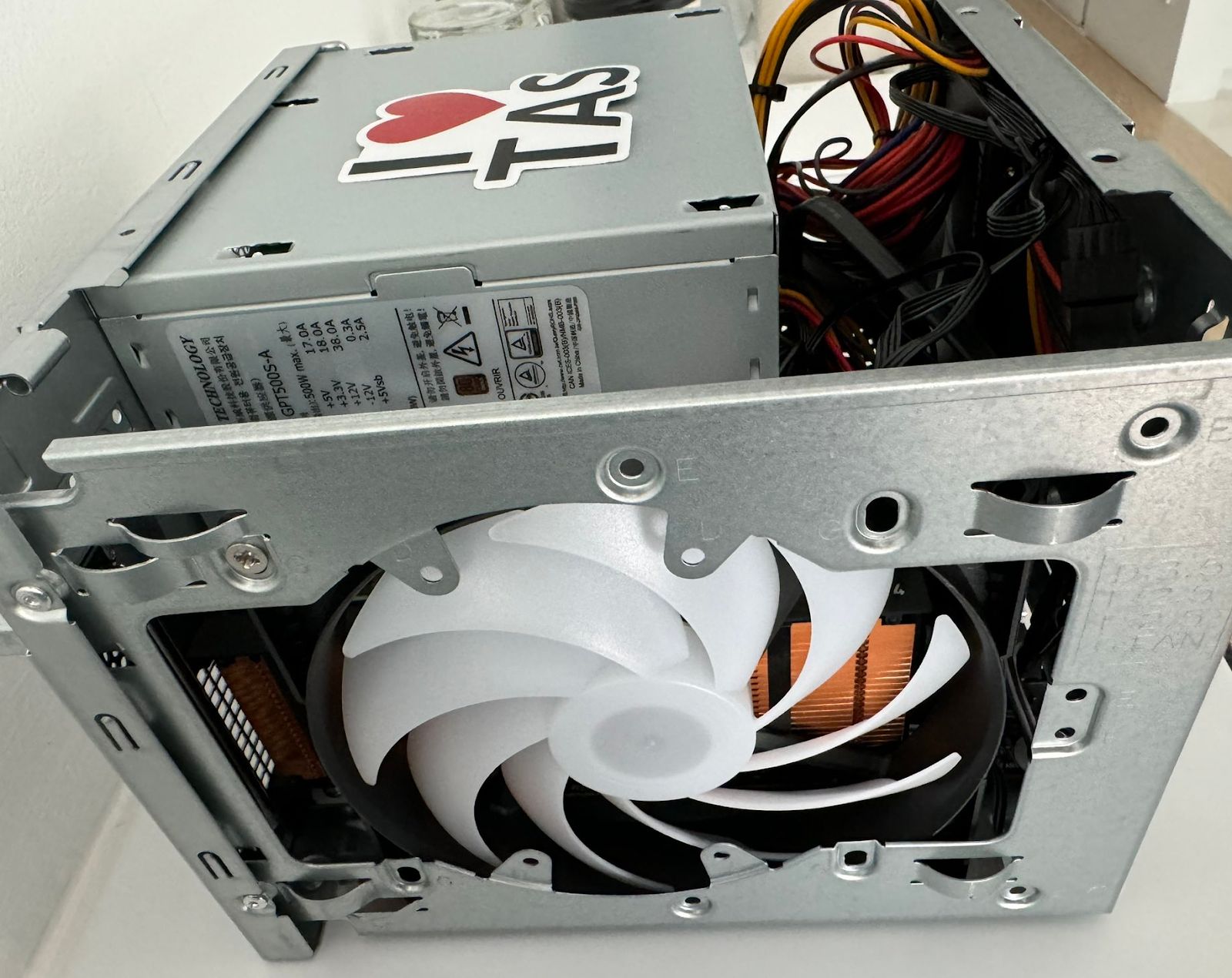
I removed the faceplate of the T4 to expose the heatsink directly to this 140 mm fan; I squeezed the fan in by consuming the extra slot plus a little free room left over in the case. The T4 was designed for a server chassis and expects forced air from the server itself instead of providing its own fan.
NIC: Cable Matters 2-Pack PnP USB to Ethernet Adapter
The USB Network Native Driver for ESXi Fling enabled full-speed operation. Without the additional driver, the adapters still operated at 100 Mbps. William Lam's guide helped me sort through the options.
Networking: UniFi Dream Router
I needed a simple network stack for my deployment to run Wi-Fi and VLANs. UniFi gear is my preference, and the Dream Router was simple and easy to set up. I didn't have to worry about networking with this device.
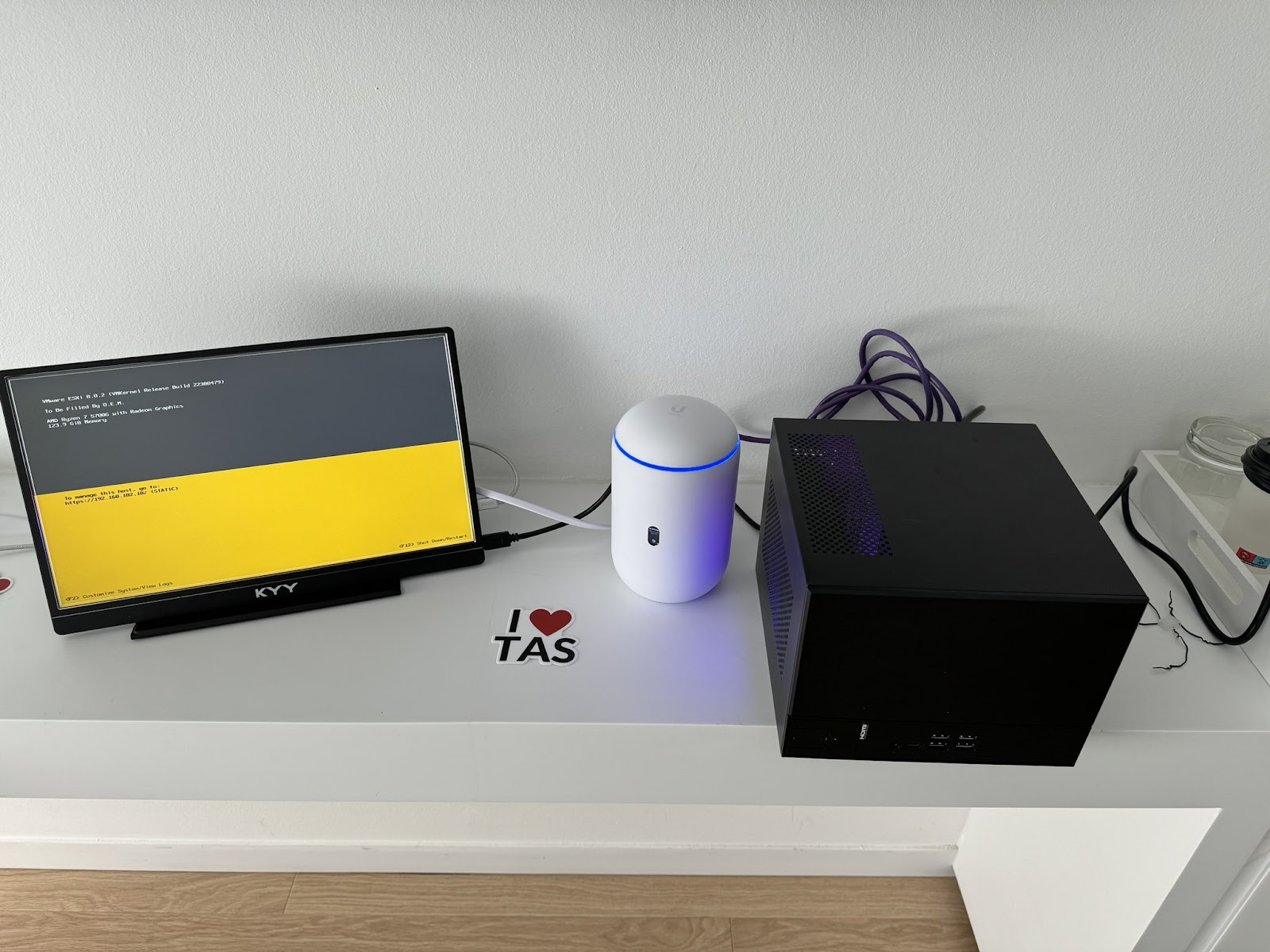
The complete solution is up and running in my hotel room – the night before the hackathon!
Running GenAI for TAS on the mobile lab:
You may be wondering what exactly GenAI for TAS looks like. Or why did I want to bring it to the VMware Explore Hackathon in Barcelona? That answer is relatively simple: Team TAS wanted to build off the success of the VMware Explore Hackathon in Las Vegas — where we took first place with the original POC of Gen AI for TAS. I definitely want to give a big shout to my teammates Long Nguyen, GenAI for TAS's lead engineer, and Amelia Downs, who traveled to both hackathons, co-presented with me, and dealt with me lugging all this gear around the streets of Barcelona.
Here's a quick recap of what we ran at the hackathon on the mobile lab:
- vCenter – the supported IaaS for this TAS deployment.
- Tanzu Operations Manager – The Ops Man VM bootstraps BOSH and Tanzu Application Service.
- pfSense – for local DNS/NTP
- NVIDIA License System – the license service required for vGPU.
- Small Runtime Tanzu Application Service – The compact version of TAS that can fit in an 8L host!
- Tanzu Postgres tile – for on-demand database-as-a-service. Postgres was critical in enabling "embeddings" via the pgvector extension.
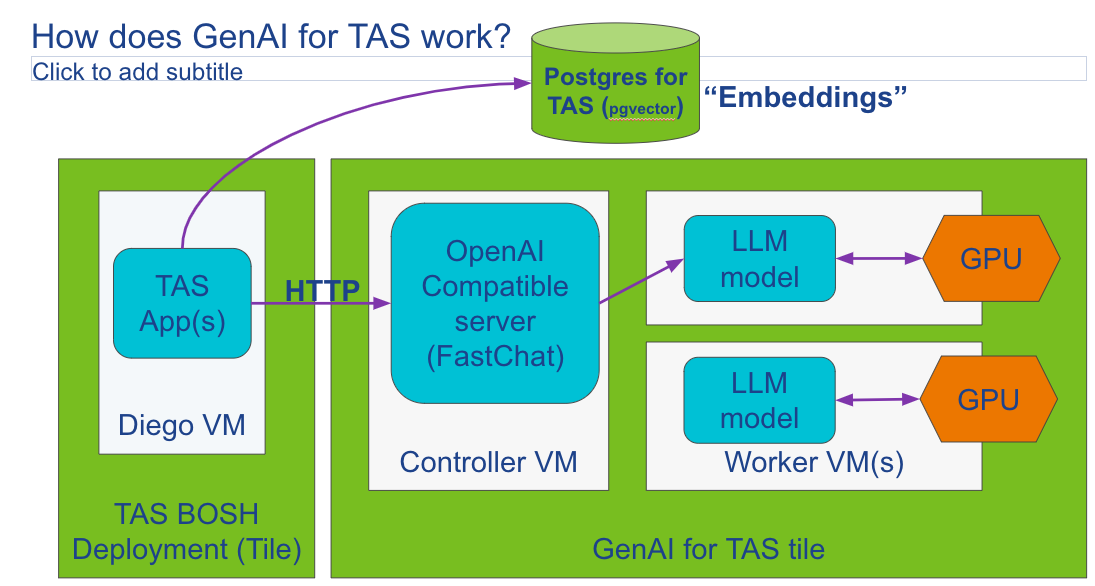
- GenAI for TAS tile: The tile enables deployment of LLMs and an OpenAI-compatible API so developers can easily wire up applications and build chatbots on a completely private GenAI infrastructure. See the architecture diagram for GenAI for TAS below.
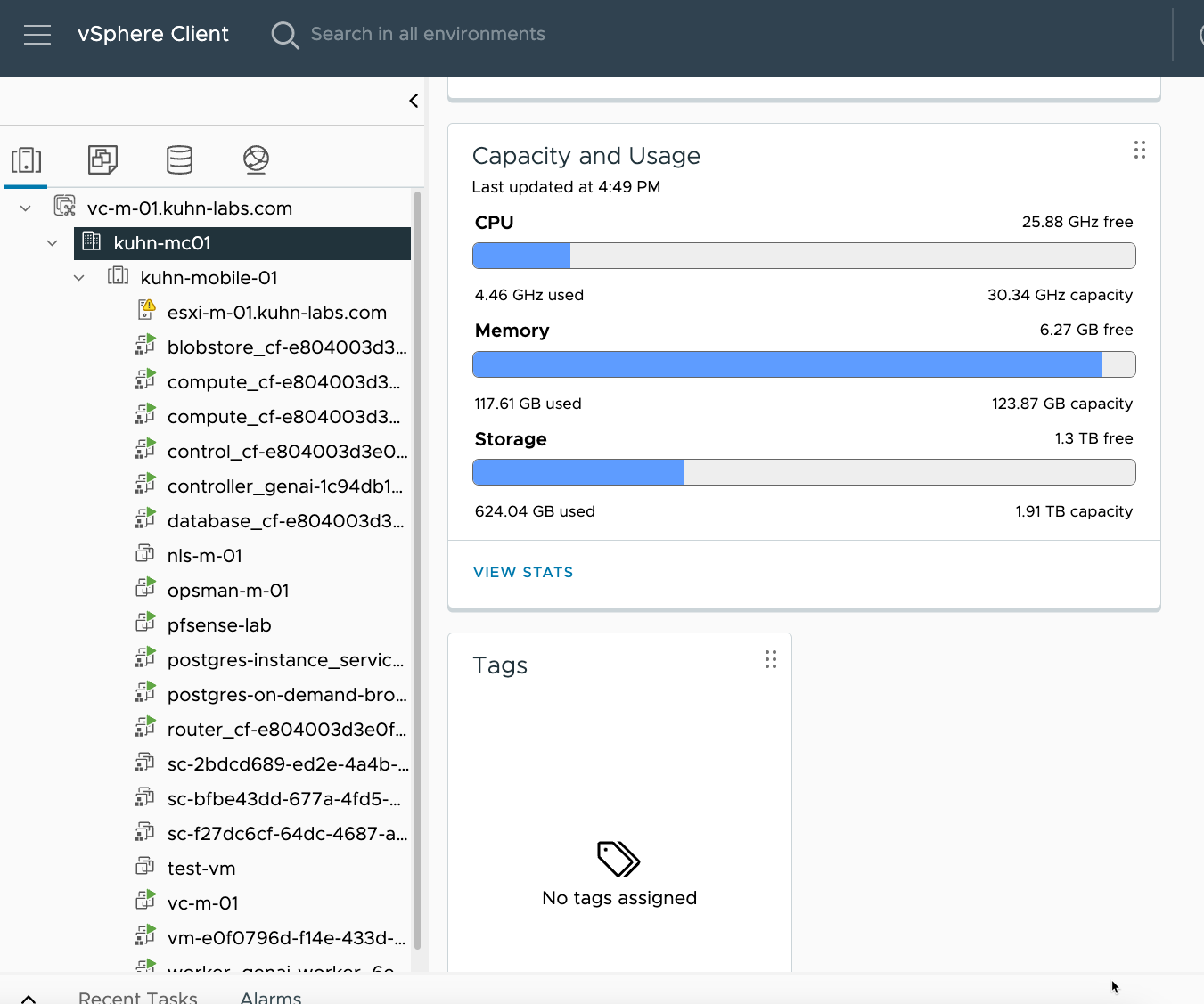
We successfully got everything up and running on my "mobile lab." From a vSphere perspective, the host was able to run everything with about 5-6 GB of RAM free.
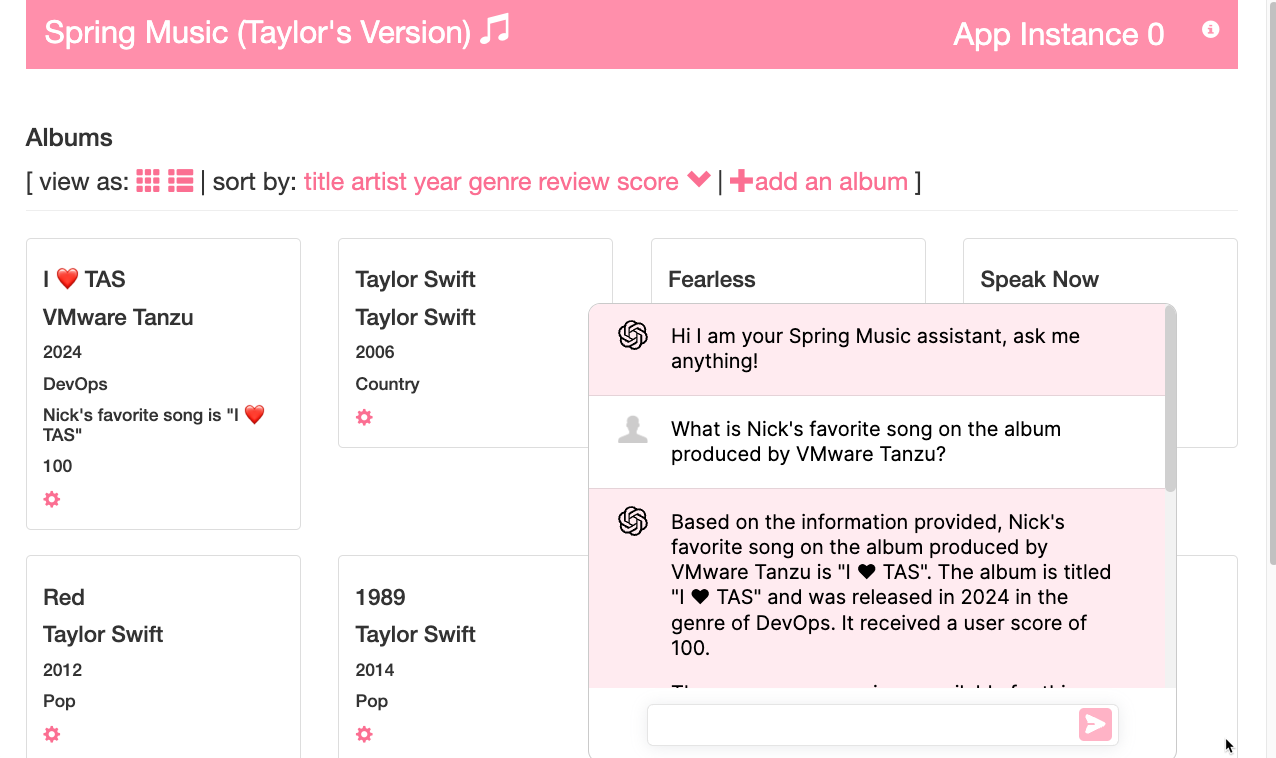
We pushed a modified version of Spring Music with a "Spring Music Assistant" built with Spring AI. The application used the locally hosted model through GenAI for TAS and stored embeddings in Tanzu Postgres with pgvector for retrieval-augmented responses. The hackathon sample repository is private today, so I have removed the stale public source link.
Overall, both hackathons were a great experience for team TAS, and I'm thrilled that we were able to continue this and drive to launch our beta last week!
I plan on doing a deep dive into using GenAI for TAS in another blog post – so please stay tuned for more information; in the meantime, you can check out my demo to see GenAI for TAS in action:
Want to learn more about GenAI for TAS?
Here are helpful links to learn about Tanzu Application Service and the GenAI for TAS tile:
I recently did a Bright Talk webinar on GenAI for TAS using my mobile lab.
GenAI for TAS Beta Launch Blog