Guide for TAS Engineers: Migrating From TanzuNet To BSP
A comprehensive guide for navigating the migration from TanzuNet to Broadcom's Customer Support Portal (BSP).
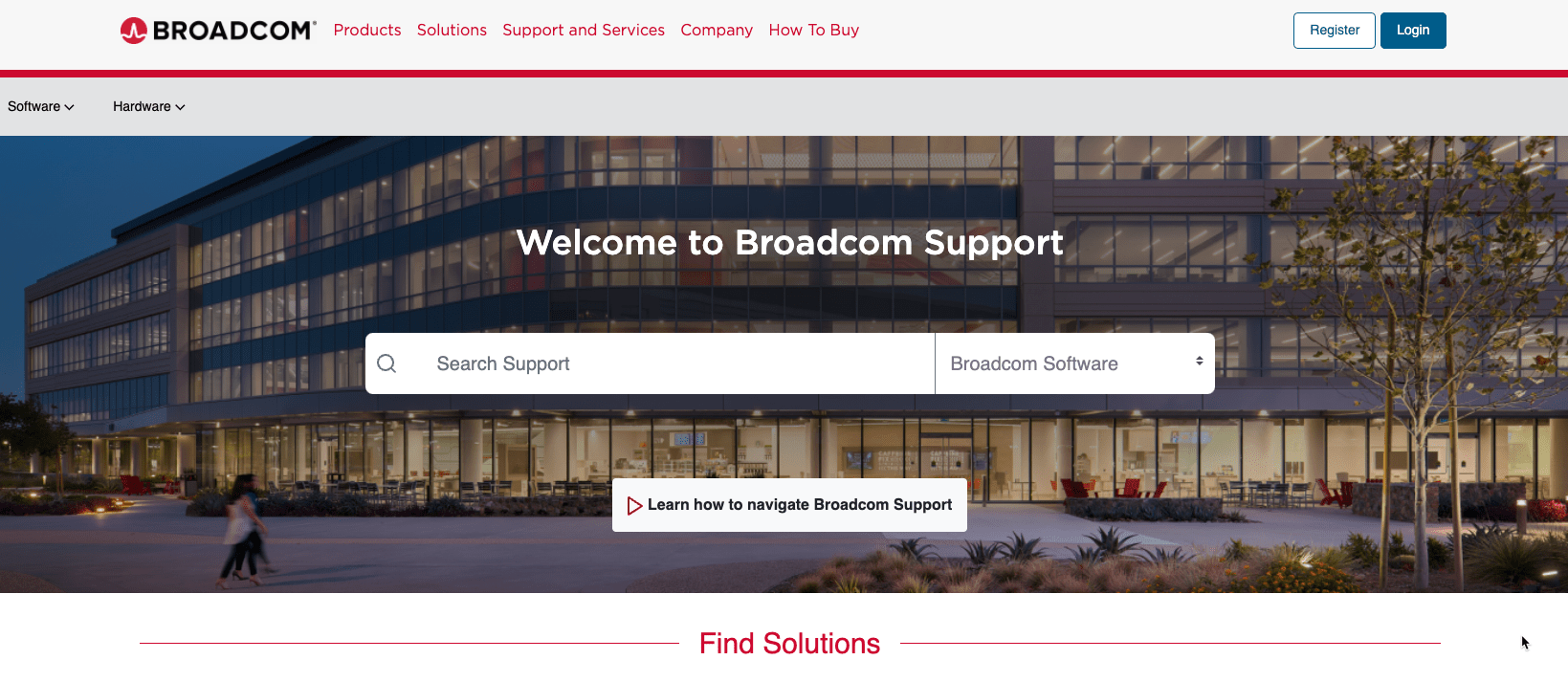
The Tanzu Network cutover completed on June 24, 2024. This post remains a useful map of the Broadcom Support Portal, but labels and navigation can change. Use the linked Broadcom knowledge-base articles as the current source of truth.
Let's take a moment to remember our dear friend, Tanzu Network. We shared many products and downloads with you, and you will always hold a special place in our hearts.
Tanzu Network was redirected to the Broadcom Support Portal (BSP) after this post was first published on June 21, 2024.
For all the migration details see the official KBs:
Tanzu Network to Broadcom's Customer Support Portal Transition and Timeline Information
Tanzu Network to Broadcom's Customer Support Portal Transition – Automation Impact
Update Log:
- As of June 24th, 2024 – the cutover has been completed. Fixed a few typos and added some detail on platform automation part.
Now what?
You may be wondering where to download Tanzu Application Service (now Tanzu Platform for Cloud Foundry), Operations Manager, related tiles, and Platform Automation.
Here is my attempt to help you navigate the Broadcom support portal from the perspective of a TAS/TPCF customer.
First, make sure your account is set up correctly. William Lam has published several useful guides to BSP; start with these if you need help bootstrapping your account:
Tips for navigating and downloading from new Broadcom Support Portal
No entitlements needed for these popular VMware downloads on Broadcom Support Portal (BSP)
Useful Links for VMware by Broadcom Day 2 Transition
These are great ways to get started, and they focus a lot on the core VCF products. Now, let's navigate to BSP and show you how to download TAS related bits.
If you have account or site ID issues, please reach out to your account reps to expedite any issues with entitlements, etc.
How do I manually download tiles?
Step 1: From the main page, make sure you navigate to the Tanzu BU field.
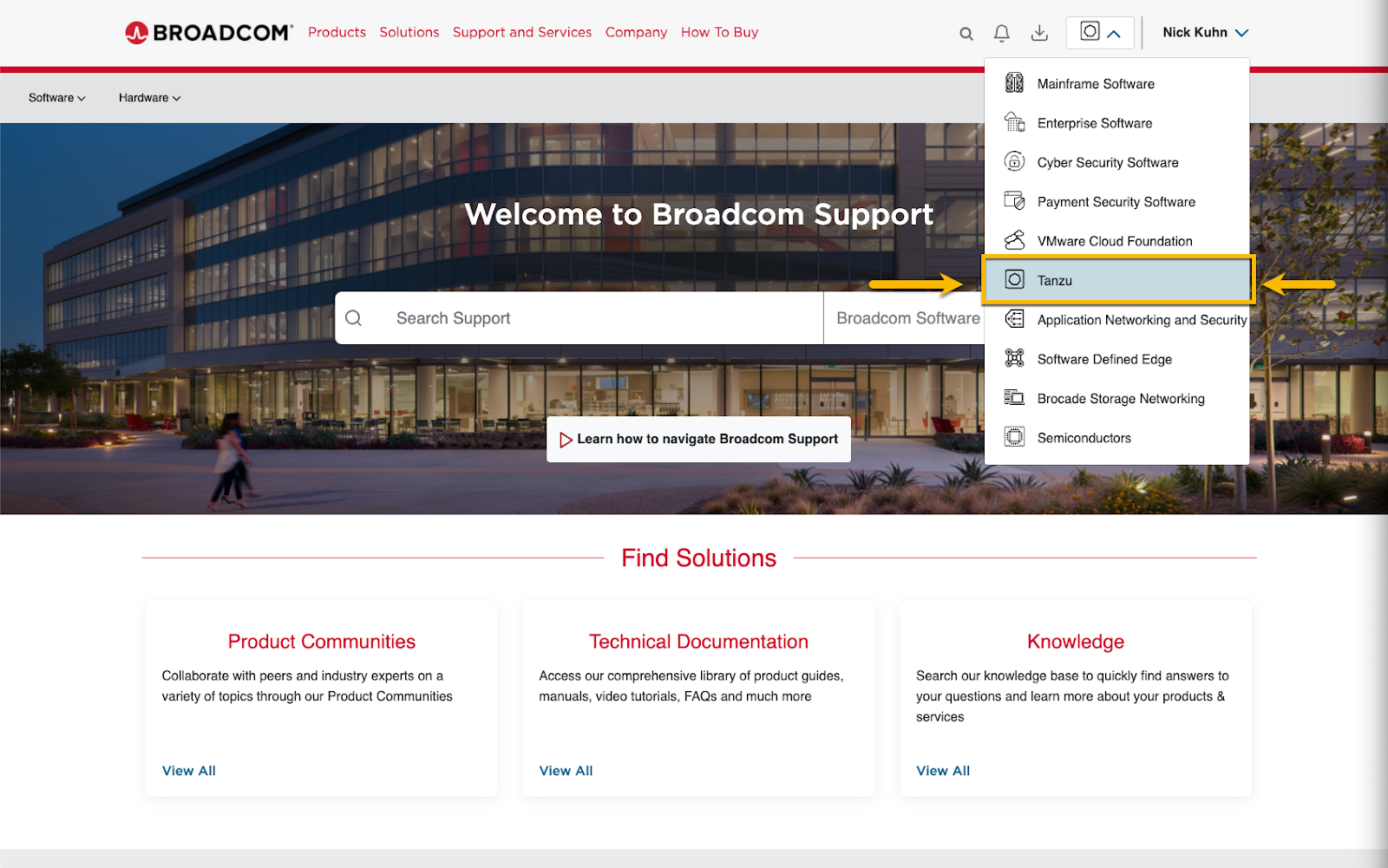
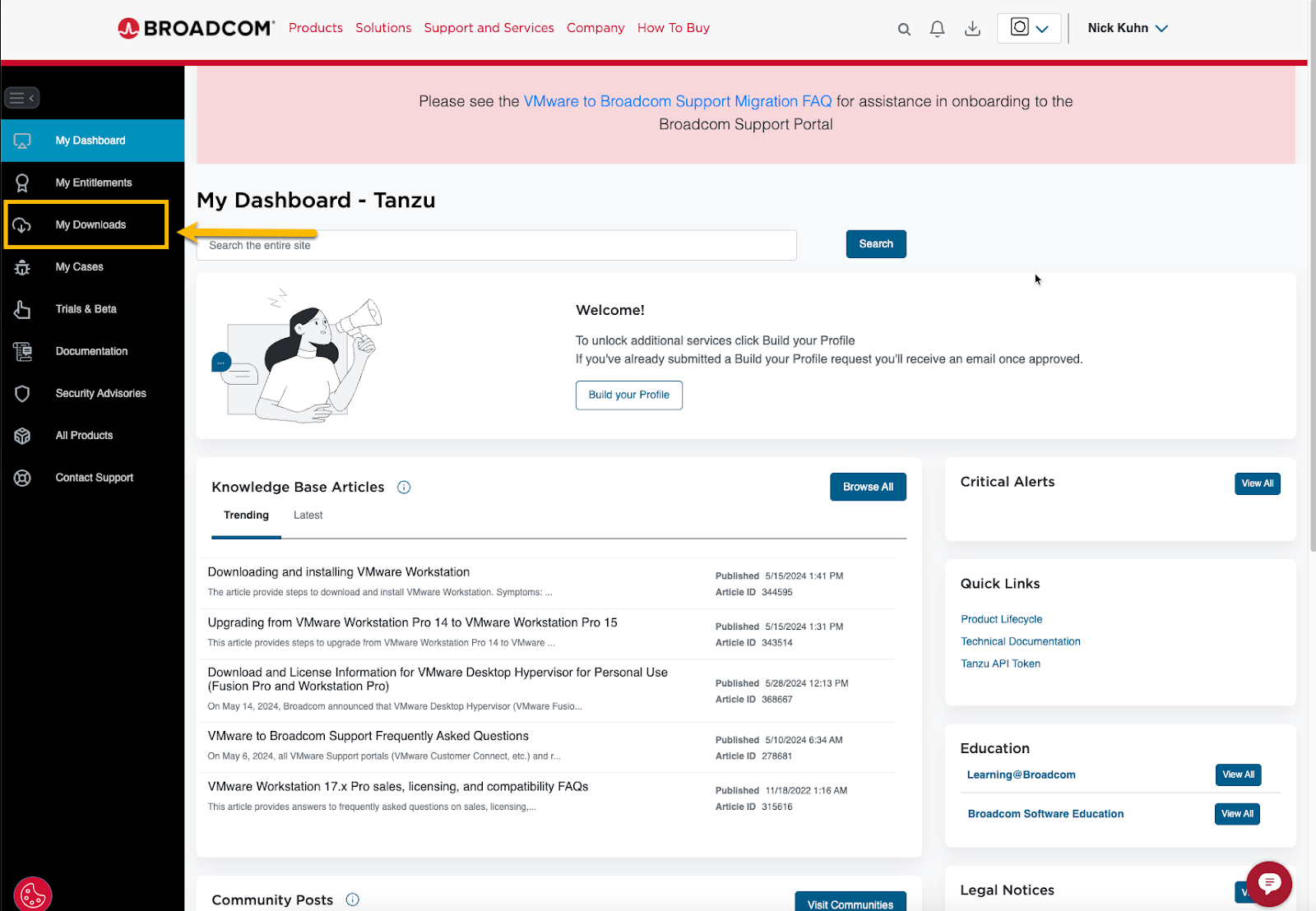
Step 2: Navigate to the My Downloads page
Step 3: In My Downloads, search for "Tanzu Application Service" using the search box at the upper right. This narrows the initial results.
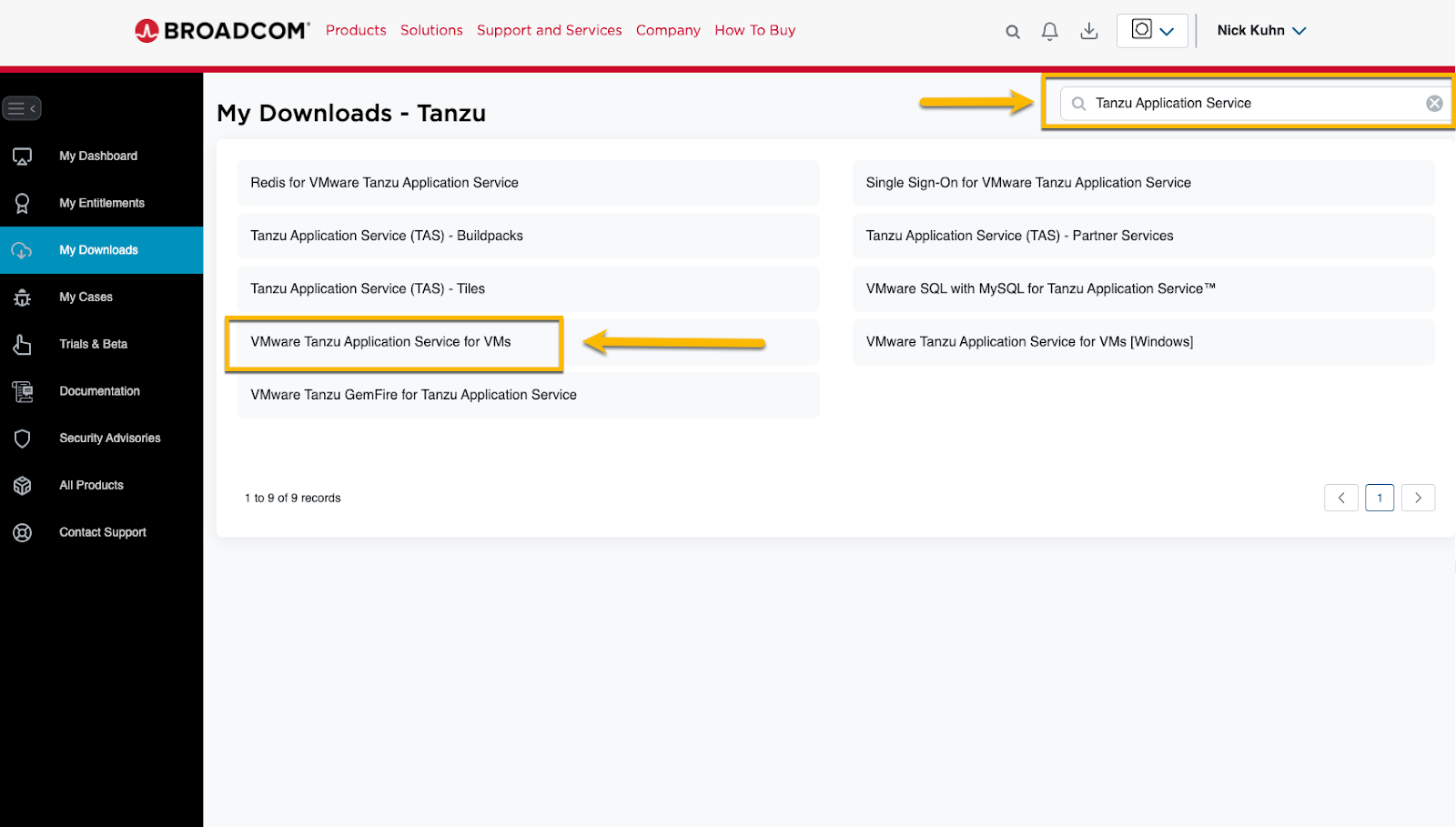
Step 4: Select "VMware Tanzu Application Service for VMs." After the page loads, drill down to see the available TAS versions.
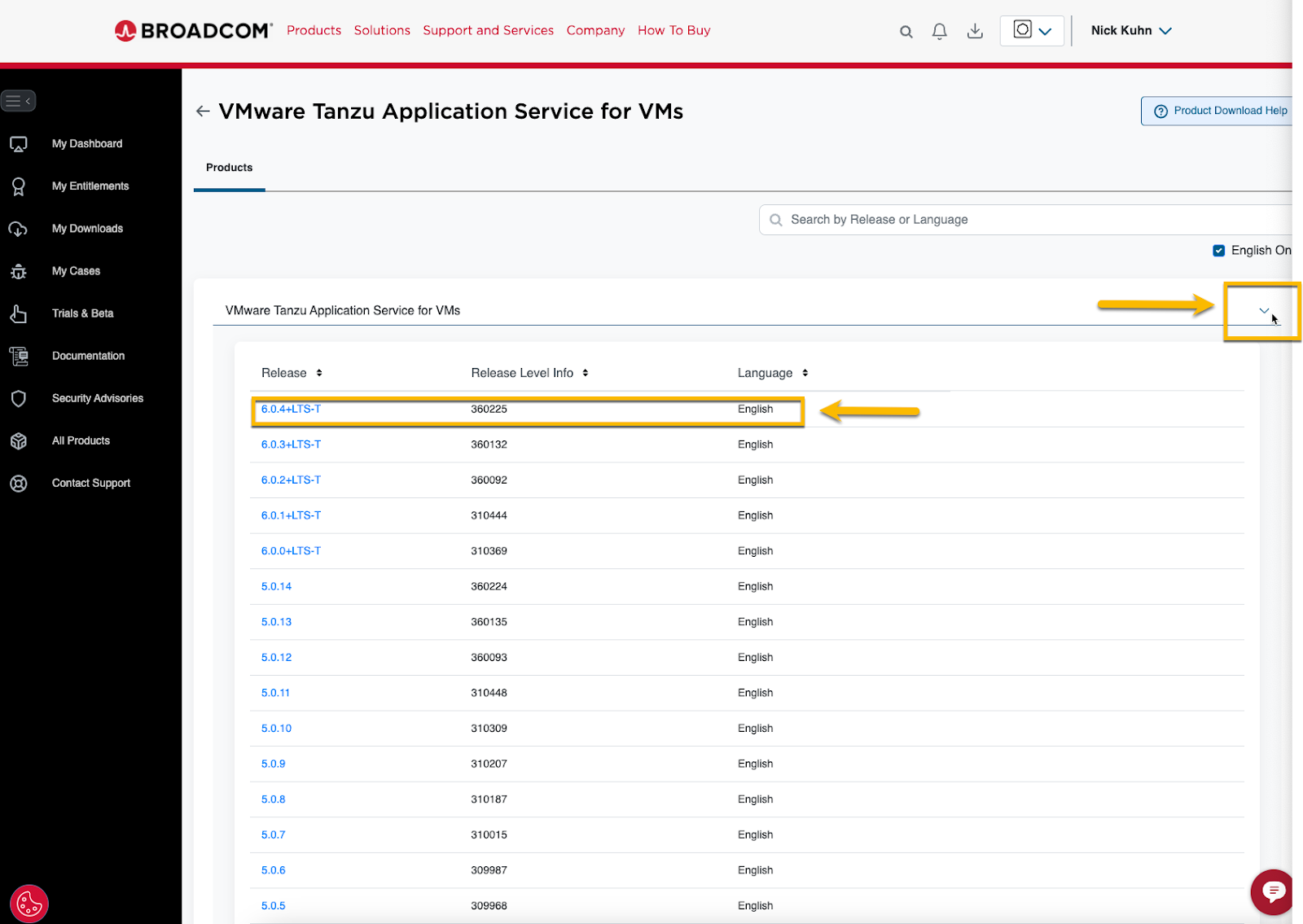
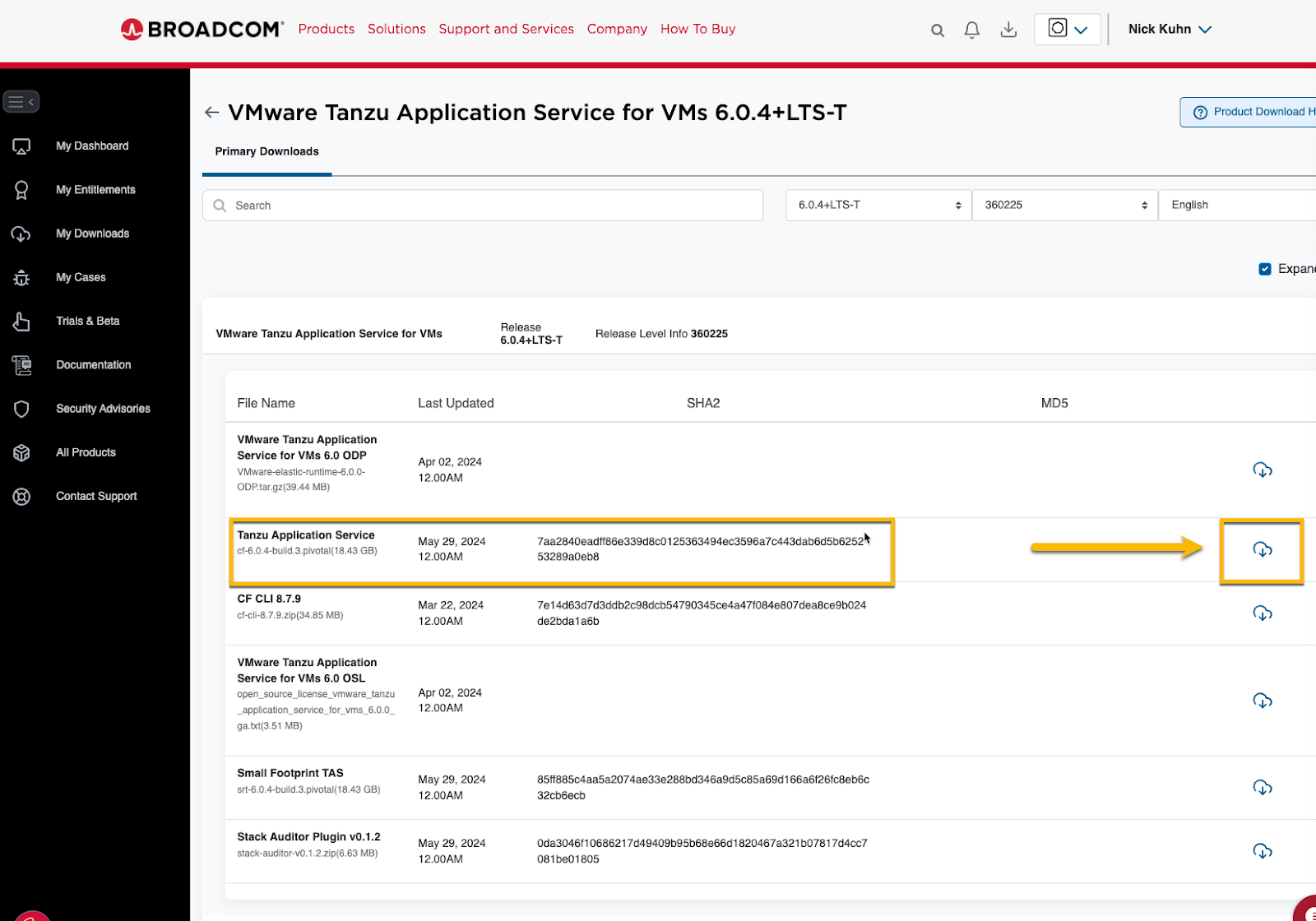
Step 5: Select the version you need. After the page loads, you will see the familiar product files that were previously listed on Tanzu Network.
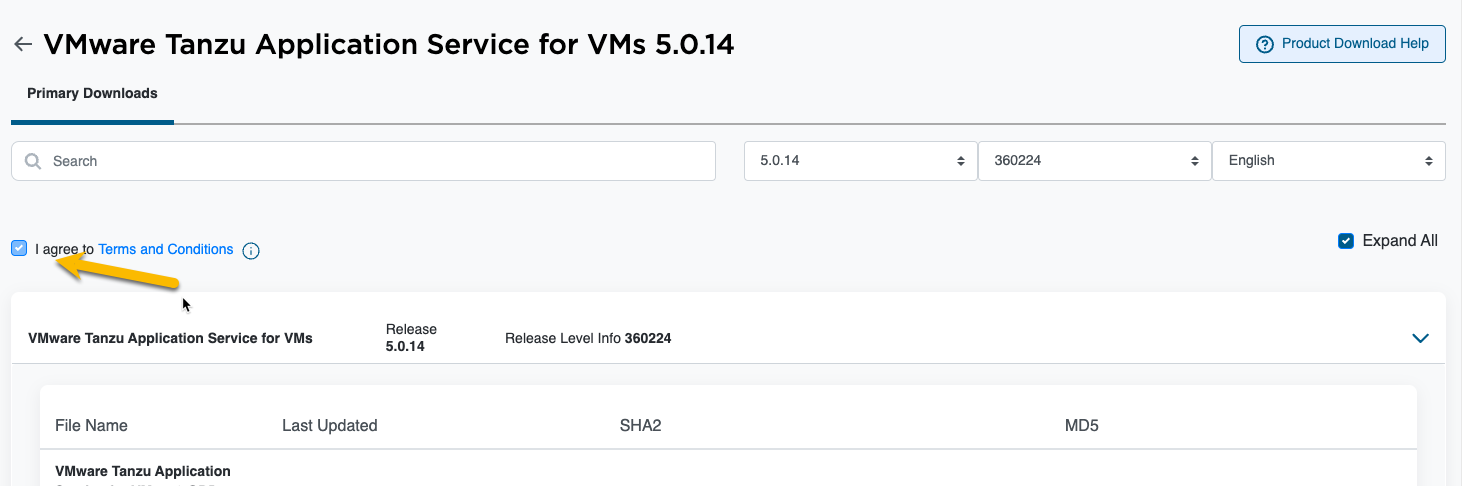
Quick note: If you have not downloaded that product version through BSP before, accept the terms and conditions to unlock the download icon.
Step 6: Click Download and choose where to save the file.
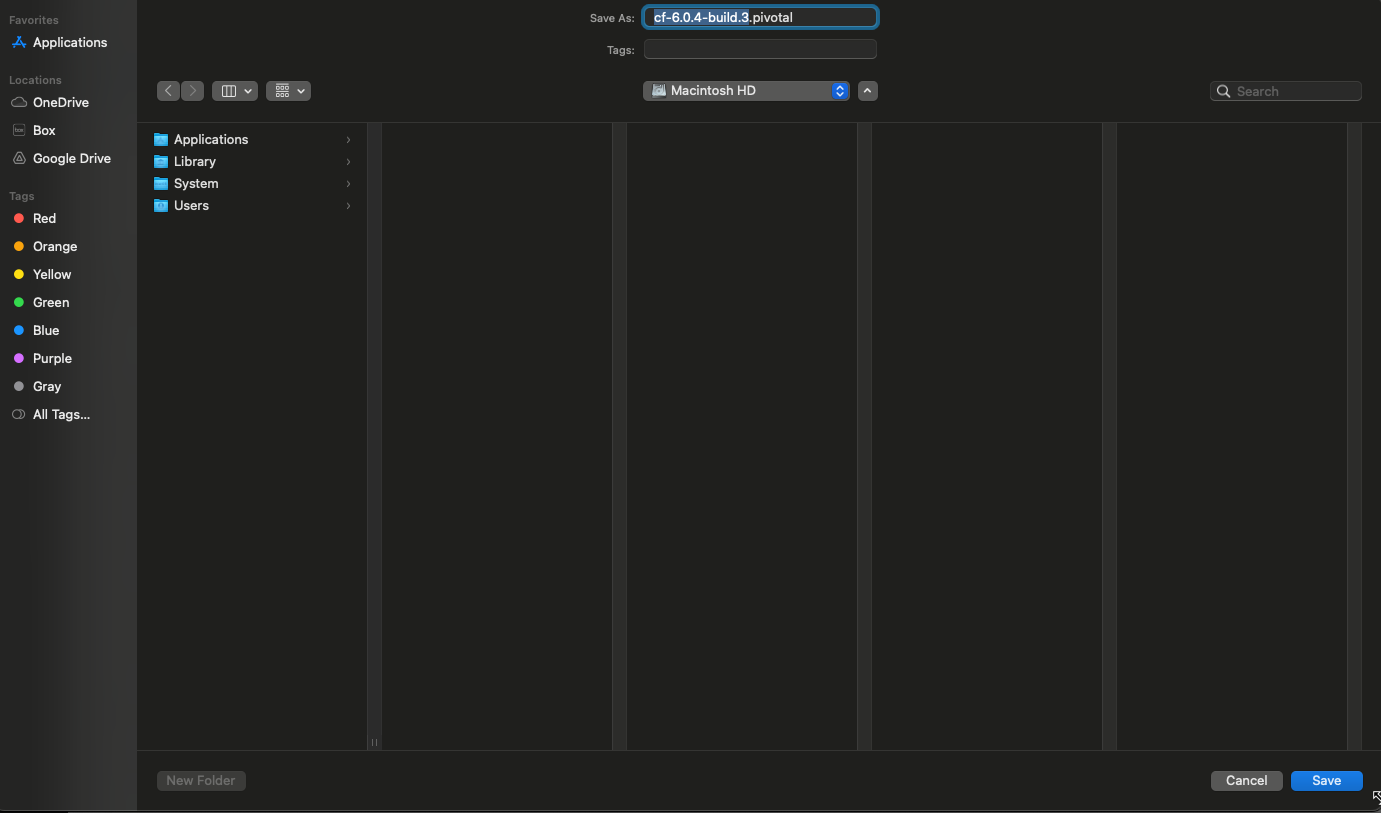
The browser should begin downloading the file normally.
For other TAS tiles, repeat the same search-and-download process.
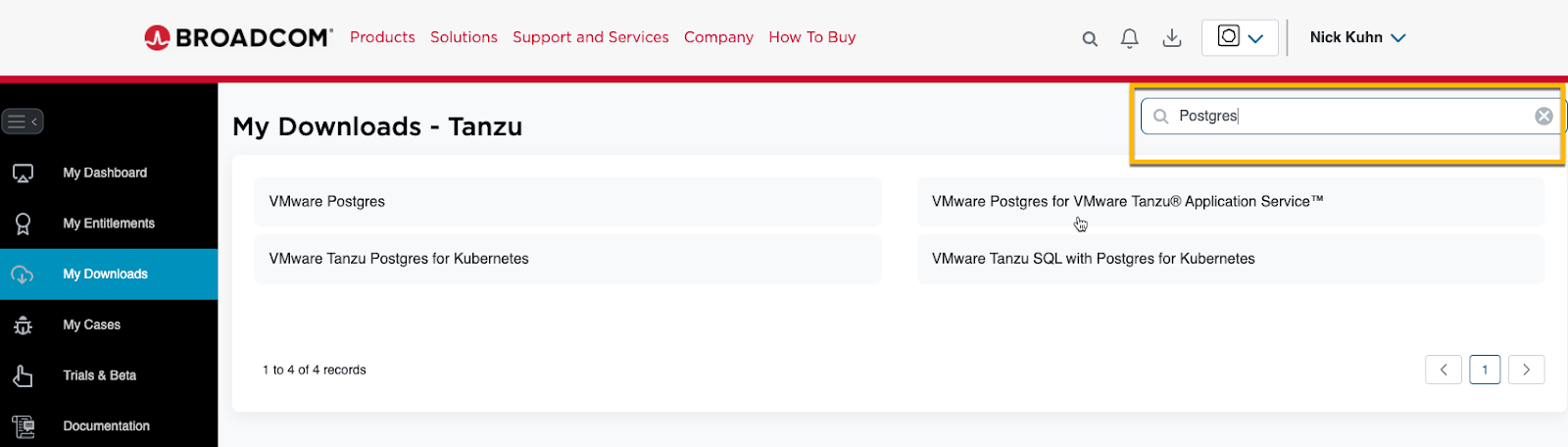
Postgres Tile:
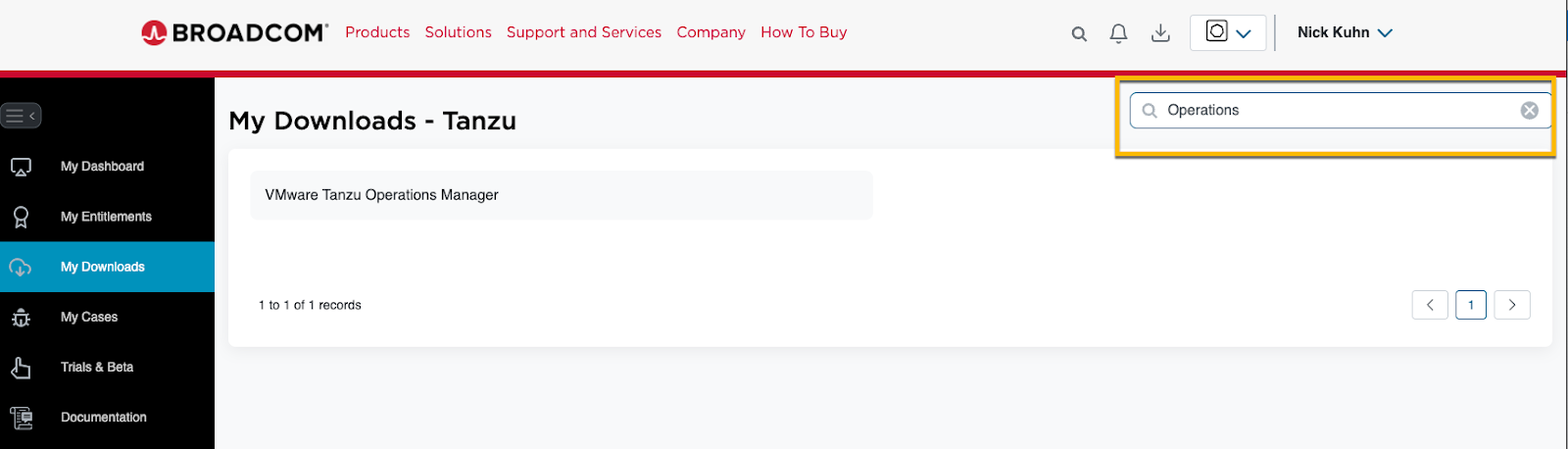
Tanzu Operations Manager:
Ok, we covered how to manually download TAS and its Tiles, but what about platform automation?
Reminder: Check these KB articles for the full Tanzu Network migration impact:
Tanzu Network to Broadcom's Customer Support Portal Transition and Timeline Information
Tanzu Network to Broadcom's Customer Support Portal Transition – Automation Impact
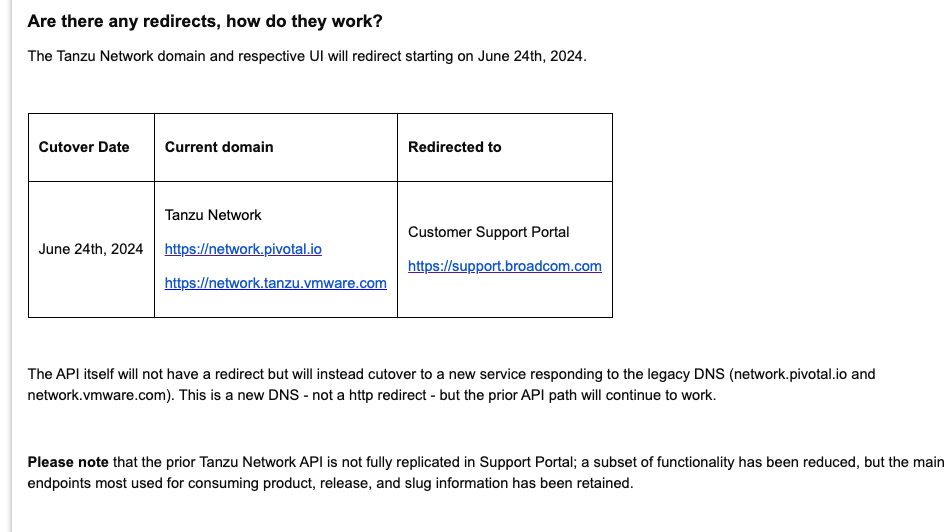
In short, only a subset of the Pivnet and Tanzu Network APIs were re-hosted on the Broadcom Support Portal. The re-hosted APIs expose fewer features, but they are intended to provide enough functionality for supported Platform Automation pipelines to continue operating.
Here's a summary of the change:
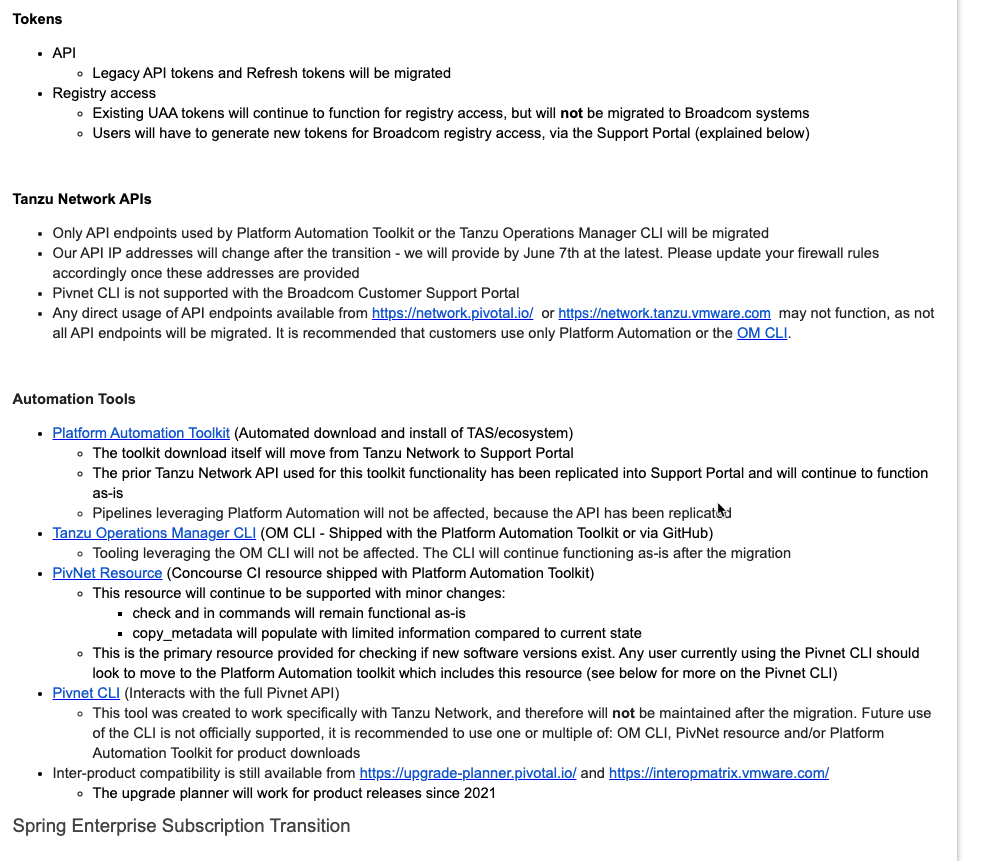
A relevant callout for Platform Automation/TAS users:
What is the TL;DR?
- Only the API endpoints needed by the Tanzu Operations Manager CLI (
om) and Platform Automation were migrated. - Update explicit firewall rules that previously allowed access to Tanzu Network.
- Move custom automation from the Pivnet CLI to the supported
omCLI paths. - Monitor pipelines closely after the endpoint and credential changes.
Hopefully this blog proves somewhat useful as we all deal with learning a new system.
If you run into an issue, start with the linked Broadcom KBs and work with your account team on entitlement or site-ID problems.